
 >
Locate iPhone 17 / 17 Pro / 17 Pro Max
>
Locate iPhone 17 / 17 Pro / 17 Pro Max

Questions
"I want to track my son’s iPhone 17 in real time from my Android phone. What should I do? My son, Tim, is 13 years old and has just started middle school. He usually needs to transfer once on his way to and from school. On weekends and holidays, Tim often goes out with his friends, but sometimes he comes home late or doesn’t tell me exactly where he is going. It’s not that I don’t trust him – I’m just worried about traffic accidents, bad influences from peers, or him getting lost." - Amelia
"I run a small freight company with six trucks. Each truck is equipped with an iPhone 17 Pro Max for the driver to use for navigation, receiving orders, and communicating with dispatch. Recently, I’ve noticed that fuel costs have risen unusually, some orders are frequently delayed, and some customers have complained that their goods arrived three hours later than promised. I suspect that some drivers are using company vehicles and phones for personal jobs, or are slacking off during work hours (for example, stopping for a long time in areas off their route to rest or take care of personal business). Can I use their phone numbers to locate the company’s iPhone 17 Pro Max devices?" - Elijah
Similar questions appear on many forums. People are eager to know the whereabouts of their family members or employees, hoping to ensure their loved ones' safety and the smooth operation of their business. The answers provided vary widely — some are helpful, while others are so absurd that they leave you wondering whether to laugh or cry. If you also need to locate an iPhone 17 or its siblings, you don't have to waste hours figuring out which solutions actually work. Here, I will share with you three mainstream methods to locate the iPhone 17, iPhone 17 Pro, and iPhone 17 Pro Max – all 100% effective.
Parents usually track their child’s iPhone for safety and supervision. Here are several common reasons:
A gentle reminder: Parents should talk openly with their child before turning on location tracking, explaining that it is for love and protection, not snooping. Over-monitoring may hurt the parent-child relationship. The best approach is to agree on using location tracking only for emergencies or specific times, and gradually adjust permissions as the child grows older.
There are several legitimate management and security reasons:
Important note:
Monitoring should apply only to company-issued iPhones (iPhone 17 Pro Max, iPhone 17 Pro, iPhone 17, iPhone 17e, etc.), and employees must be clearly informed in advance through a written policy about the scope of monitoring (e.g., location, app usage, call duration), with their informed consent. Avoid tracking personal location or accessing private iCloud accounts after working hours.
Losing your iPhone 17, 17 Pro, or 17 Pro Max can be stressful. Fortunately, you can track it from another phone. Below are three effective methods.
mSpy is a comprehensive monitoring application that allows users to track a target device's real-time GPS location, view detailed location history, and set up geofencing zones to receive alerts when the device enters or leaves designated areas. Beyond location tracking, it enables monitoring of text messages (SMS), call logs (including timestamps, duration, and contact names, even deleted ones), contacts, emails, photos, and videos. It also provides access to chats and messages from over 25 social media and messaging apps, including WhatsApp, iMessage, Snapchat, Telegram, and Facebook Messenger, and even captures keystrokes via a keylogger feature, making it a powerful tool for both parental supervision and employee oversight.
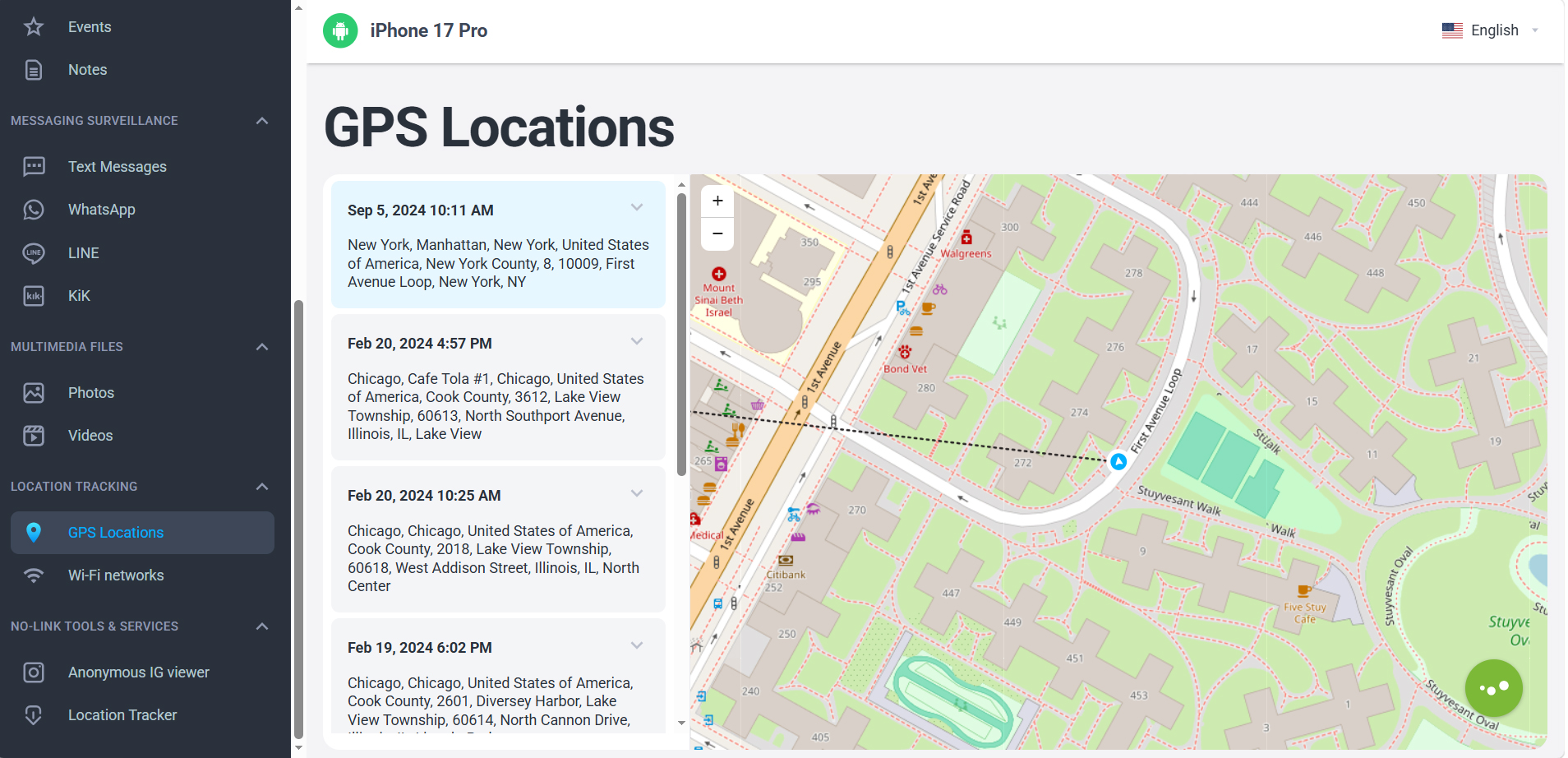
Additional features include a panic button for emergencies, app usage statistics to promote healthier digital habits, and the ability to remotely block the phone or certain apps and websites if necessary. With mSpy, you can locate an iPhone regardless of whether your own phone is an Android or an iPhone. This makes mSpy a comprehensive monitoring tool for both family safety and employee oversight.
You can locate an iPhone 17 / 17 Pro / 17 Pro Max simply by using its phone number. Two popular services offer this feature:
In addition to GPS tracking, mSpy also lets you track the target phone's location using its phone number. It works discreetly and delivers accurate results. You don't need to install any apps on the target iPhone, nor do you need iCloud authentication. Simply click the button below to try it out for free.
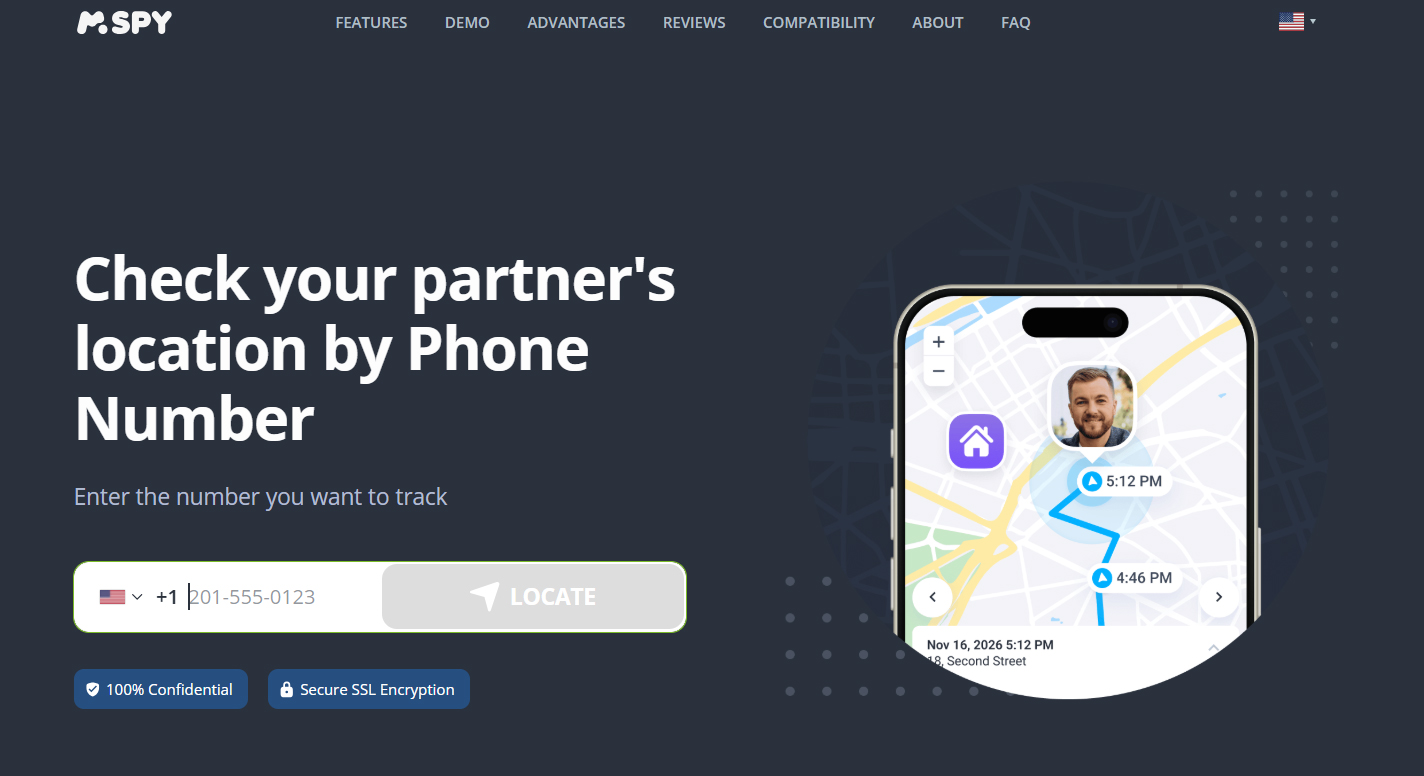
Number Location Tracker is a web-based tracking service that enables you to locate a mobile device primarily by entering its phone number. Its standout features include "Location by number" and "Location by link": it uses GPS and cellular tower data to pinpoint a device's current position—for example, you can input a number in the website, then send a specially crafted SMS containing a tracking link, and once the recipient taps the link, the location is displayed on a map.
Beyond location tracking, Number Location Tracker also offers reverse number lookup, reverse username lookup, and an email/phone leak checker to see if your personal data has been compromised in a breach. Notably, the service requires no software installation on the target device and works globally on any phone. However, it requires the target user to click on a tracking link sent to them in order to obtain their location permission; thus, the location can only be acquired with the cooperation of the device owner.
If your iPhone 17 series device is lost or stolen, Apple’s native Find My app is a reliable option. Using another phone (or any web browser), you can:
Find My works without third-party apps, but it requires that the feature be enabled on the lost iPhone before it goes missing. This method is free, yet it has drawbacks—for example, Find My lacks the necessary advanced monitoring features.
While all three methods can help you locate an iPhone 17 / Pro / Pro Max, using the mSpy iPhone Monitoring App is the most recommended approach. It not only provides accurate GPS tracking but also gives parents and employers access to calls, messages, and app chats – making it a far more versatile solution than basic number-based services or Apple’s Find My alone.


This cell phone tracker app has greatly helped me in handling my employees. Whenever they engage in activities that compromise their loyalty to my business, I always know. A few days ago, we fired one who was in constant communication with a competitor. - Reed, Austin
Copyright © 2026 Acrok Studio All Rights Reserved.