
 >
Monitoring App for Asus Phones
>
Monitoring App for Asus Phones
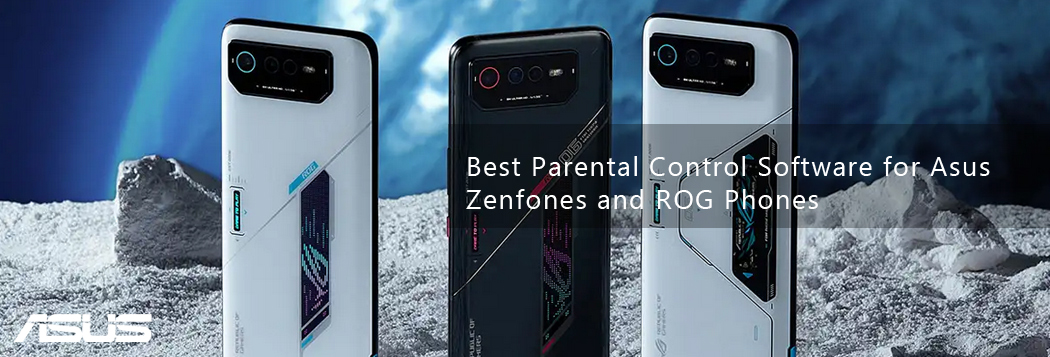
This guide explores the best phone monitoring apps for the Asus ROG Phone 9 Pro and the ZenFone 12 Ultra, with Spynger leading the recommendations due to its comprehensive feature set and robust Android compatibility.
The need for phone monitoring spans several legitimate scenarios:
⚠️ Legal Warning: Monitoring software is intended for legal use only. You must obtain proper consent before monitoring anyone else’s device—whether as a parent (for minor children), employer (with clear policy disclosure), or under applicable legal authority.
When it comes to Asus phone monitoring, Spynger consistently ranks as the best Asus phone monitoring app for 2026. It offers a reliable, feature-rich solution that works seamlessly with both the ROG Phone 9 Pro and Zenfone 12 Ultra, provided you have physical access to the target device for a one-time setup.
This mobile spyware works with all Android devices, including the ROG Phone 9 Pro, ROG Phone 9, ROG Phone 8 Pro, ROG Phone 8, ROG Phone 7, as well as the Zenfone 12 Ultra, Zenfone 11 Ultra, Zenfone 10,Zenfone 9, and other Zenfone models.
Once the app is set up, you can rely on Spynger to spy on over 30 apps commonly found on smartphones today. These include a plethora of social apps like Snapchat and WhatsApp. You’ll also be able to monitor all calls and SMSs on the Asus phone. It also makes location tracking very simple.
The installation process is straightforward:
Spynger offers several subscription options:
| Plan | Monthly Cost | Total Cost |
|---|---|---|
| 1 month | $43.91/month | $43.91 |
| 3 months | $25.99/month | $77.97 |
| 12 months | $9.28/month | $111.36 |
All plans include all premium features and work across both Android and iOS devices.
While Spynger is the recommended solution for comprehensive monitoring, there are other legitimate ways to oversee device usage on Asus phones.
Both the ROG Phone 9 Pro and Zenfone 12 Ultra run Android with Asus customizations, which means they include Google Family Link integration. As a completely free alternative, Google Family Link provides basic oversight: screen time management, app approvals, and location sharing. However, it cannot read message content on WhatsApp or Instagram, nor can it provide detailed browsing history beyond what‘s available in Chrome.
If you need how to monitor my child’s Asus Phone with full visibility into social media, messaging apps, deleted texts, and real-time location alerts, Spynger is the superior choice. For basic screen time limits and simple location tracking, built-in Android tools may suffice.
| Feature | Spynger | Google Family Link | Other Premium Apps |
|---|---|---|---|
| Social media monitoring (WhatsApp, IG, Snapchat) | ✅ Full content access | ❌ Not available | ✅ Limited |
| Real-time GPS tracking | ✅ Instant updates | ✅ Periodic updates | ✅ Yes |
| Geofencing alerts | ✅ Yes | ❌ No | ✅ Yes |
| Call log viewer | ✅ Full details | ❌ No | ✅ Yes |
| SMS and deleted text access | ✅ Yes | ❌ No | ⚠️ Limited |
| Keystroke logging | ✅ Yes (with consent) | ❌ No | ⚠️ Varies |
| Remote dashboard access | ✅ Yes | ✅ Yes | ✅ Yes |
| Price | Starting at $9.28/month | Free | $40–100/month |
Before using any phone monitoring software, you must understand the legal boundaries:
The phrase track Zenfone 12 Ultra location from my Android or legal way to monitor Asus ROG Phone 9 Pro without touching it refers to scenarios where setup requires only one-time physical access, but consent must still be obtained beforehand.
Similarly, best hidden monitoring app for Asus Zenfone (with consent) emphasizes that while the software can operate without visible icons, this feature is only legal when the device owner—or legal guardian, for minors—has given explicit permission.
Spynger itself states clearly that the user is responsible for complying with all applicable laws regarding device monitoring and that the software should never be used without proper authorization.
Q: Can I track a Zenfone 12 Ultra without installing any app?
A: No. Any service claiming to track a phone with just the phone number is almost certainly a scam. Legitimate monitoring requires either installing software on the device or using cloud-based syncing. For Android devices like Asus phones, one-time physical installation is required.
Q: Is it legal to monitor my child’s phone?
A:
In most jurisdictions, parents have the legal right to monitor devices owned by them and used by their minor children. However, transparency builds trust—consider having an open conversation with your child about why you‘re monitoring their device usage and how it helps keep them safe.
Q: How do I monitor my child’s Asus Phone from my Android phone?
A: Spynger provides a web-based dashboard accessible from any device with an internet connection, including Android phones. After installation on the target Asus device, you can simply log into your Spynger account from your own Android phone using any mobile browser to view all monitoring data.
Q: What’s the difference between employee monitoring and parental control?
A: Parental control focuses on safety—protecting minors from online dangers, limiting screen time, and blocking inappropriate content. Employee monitoring focuses on productivity and security—tracking device usage during work hours, ensuring company resources are used appropriately, and protecting sensitive business data. Both require proper disclosure and consent.
Monitoring a powerful device like the ROG Phone 9 Pro or Zenfone 12 Ultra requires a robust, reliable solution. Spynger stands out as the top Asus phone monitoring app in 2026, offering comprehensive access to messages, social media, GPS location, calls, and browsing history through an intuitive remote dashboard. Its compatibility with Android OS 5 and higher ensures it works seamlessly with both Asus flagships.
When you need a free Asus phone monitoring tool, options like Google Family Link can provide basic screen time management, but they lack the advanced social media and message monitoring capabilities that make Spynger the superior choice for comprehensive oversight.
Whether you are a parent seeking peace of mind, an employer managing company devices, or an individual monitoring your own usage, choose the tool that fits your needs—but always operate within the law, obtain proper consent, and prioritize transparency.


I have changed few monitoring solutions for my kids, this one really works. 5 stars for excellent 24/7 customer support.
- Kuhn, Brian
The monitoring app is a unique cell phone spy that helps you keep the activity of your corporative employees at your fingertips! Impressive cost-cutting spyware.
- Park, Jinju