Do you want to watch your DVD films on your smart TV, smartphone or tablet without carrying the discs around? Many DVDs are copy-protected and the files can be huge, so you'll need the right tools and settings. Here, I'll show you the best DVD to Digital Converter software of 2026, let you convert or digitize DVD safely, and play DVD files on any devices freely.
Best DVD to Digital Converter in 2026 - Acrok Video Converter Ultiamte
Rip DVDs/ISOs/Folders to any video & audio formats.
Convert DVDs to lossless video & audio for smart tv, tablet, PC, tablet, etc.
Back up DVDs to your computer and external hard drive with simple clicks.
Get 10x faster DVD ripping speed with GPU acceleration.
Convert DVDs to Digital Files via Multitasking Mode.
Make your DVD files outstanding with the video editor.
In this article, we will guide you through how to convert DVD to digital using the best DVD ripper software available in the market. Not only will this help preserve your beloved DVD movies and shows, but it also offers increased accessibility and convenience in viewing them.
Why we need to convert DVDs to digital file?
There are several main reasons for converting DVDs into common video formats, such as convert DVD to MP4, convert DVD to MKV, convert DVD to iTunes M4V, etc.), which also explain why this type of software remains popular in 2026.
-
Convenience and Portability
After DVD to digital conversion, you no longer need to carry discs or rely on a disc drive. You can store all your movies on a hard drive, USB stick, or NAS (Network Attached Storage) and watch them anytime, anywhere. Most modern devices (like smartphones, tablets, smart TVs, and game consoles) cannot play DVD discs, but almost all of them can play common digital formats like H.264/H.265 MP4.
-
Protecting Disc Content (Backup)
DVD discs are easily scratched, can degrade over time, or get damaged. Converting DVD to digital files is like buying an "insurance policy" for your precious home videos, rare collections, or valuable content.
Much content (especially home videos or educational materials) may only exist on DVD. Digitizing it is the best way to prevent it from being lost forever.
-
Saving Physical Space
Stacks of DVDs take up physical space, while a multi-terabyte hard drive can store hundreds or thousands of movies, keeping your media library tidy and organized.
-
Improving the Viewing Experience
No waiting for a disc to load, and no worries about skipping or freezing. Converted files can be used with software like Plex or Jellyfin to build a personal movie library that automatically matches posters and subtitles, offering a far superior experience to traditional DVD players.
-
Flexibility for Editing and Sharing
DVD content is often encrypted and has a complex file structure (VOB format), making it difficult to edit directly. Converting it to a standard video format allows you to easily edit highlights or upload it to the cloud to share with family and friends.
What kind of DVD to Digital Converter is highly recommended?
Here are 8 key features to look for when choosing DVD to digital converter software.
-
Broad Output Format Support
Ensure the software supports converting DVDs to the most digital video formats, such as MP4, MOV, M4V, MKV, AVI, as well as presets for specific devices (e.g., iPhone, Android, PlayStation). MP4 is the most universally compatible, while MKV is better for retaining multiple audio tracks and subtitles.
-
Decryption and Protection Removal Capabilities
Many commercial DVDs have CSS encryption or region codes. A good converter should be able to bypass these protections, allowing users to legally back up discs they own.
-
Conversion Speed and Hardware Acceleration
Check if the DVD ripper software supports GPU acceleration (e.g., NVIDIA CUDA, Intel QSV, AMD VCE), which can significantly improve conversion speed. Also, see if it supports batch conversion for processing multiple discs or files at once.
-
Video and Audio Quality Retention
A good converter should offer lossless or high-quality encoding options, allowing users to adjust parameters like resolution, bitrate, and frame rate. For audio, support for 5.1 or 7.1 surround sound passthrough or transcoding is also important.
-
Subtitle and Audio Track Handling
DVDs often contain multiple language subtitles and audio tracks. The DVD converting program should allow you to select which subtitles and audio tracks to keep and be able to either burn subtitles into the video or output them as separate files. Bonus points for supporting subtitle position and font adjustments.
-
Editing and Cropping Features
Some advanced software offers basic video editing functions, such as trimming clips, cropping black borders, applying filters, and adjusting colors, allowing users to customize content.
-
User Interface and Ease of Use
For average users, an intuitive interface and one-click presets are important; for advanced users, the ability to manually adjust encoding parameters is more critical. It is best to choose software that caters to both.
-
Extra Features
Metadata Preservation: Automatically fetch and embed movie posters and descriptions.
Cloud Service Integration: Direct export to Google Drive, Dropbox, etc.
Virtual Drive Support: Mount ISO files before converting.
Free Trial: A feature-limited trial version for users to experience the DVD converter software.
Best DVD to Digital Converter reviews - 2026
DVD stands for Digital Versatile Disc, and is sometimes also referred to as Digital Video Disc. It is a high-capacity optical storage medium primarily used for storing video, audio, software, and data. Like a CD, it is a circular plastic disc with a diameter of 12 centimeters (about 4.7 inches), but its storage capacity is much larger than that of a CD. Its most common use is for releasing movies (i.e., DVD video discs), supporting multiple chapters and multi-language subtitles and audio tracks. A standard single-layer DVD can store 4.7 GB of data. People typically use Blu-ray players and DVD players to watch DVD movies on televisions or computers. For greater viewing convenience, people prefer to convert DVD movies into digital files.
Before we dive in, here's what you'll need: a DVD or LibreDrive-enabled Blu-ray drive, at least 5-20 GB free storage per film. Now, it's time to learn the best and free tools to convert DVD to digital files while preserving all these premium extras.
01: Acrok Video Converter Ultimate (Windows & Mac)
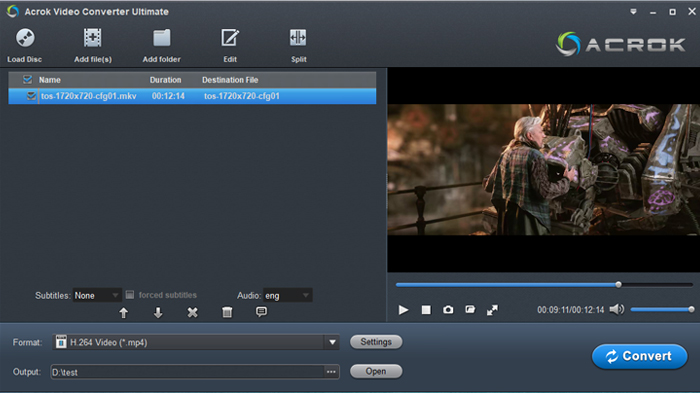
Acrok Video Converter Ultiamte tops the list of DVD to digital converting software with the industry-leading decryption. This DVD ripping software is capable of bypassing the toughest protections, including CSS, APS, RC, RCE, Sony ARccOS, UOPs, RipGuard, etc to convert discs into over 300 digital formats for lossless playback on any device or home theater system.
It supports a wide range of disc types, including physical DVD-5, DVD-9, DVD±R, DVD±RW, DVD-RAM, DVD-R DL, ISO image files, and VIDEO_TS folders. It features an intuitive process that's pretty easy to pick up and get started with, although it's bogged down somewhat by a cumbersome interface that makes more advanced options challenging to understand or access. Acrok software takes care of all your audio/video conversion needs and compresses your 4K/8K footage from GBs to MBs without compromising quality, backed by full GPU acceleration. Whether playing local files on mobile/PC, transforming GoPro adventures into compact wonders, or sharing cherished memories across social platforms, Acrok Video Converter Ultimate has you covered.
As a premium app, Acrok gives you a ton of options when ripping and converting your DVDs, including support for all of the most popular video and audio formats. You can choose your format and settings or choose presets that are designed for specific hardware. This Future-proof DVD converter 2026 also supports ripping and encoding DVDs discs without losing any quality if you aren't afraid of large file sizes.
Pros:
- Handles all encrypted DVD and Blu-rays.
- Convert Any Media (DVD, Blu-ray, Video) to Over 1000 Formats.
- Convert DVD to MP4 and other 1000+ video/audio formats and 200+ device profiles
- Choose DVD titles, chapters, audio, and subtitles you want to convert.
- Support batch conversion at faster DVD converting speed.
- Compress DVD to digital format.
- 1:1 DVD to digital copy software.
Cons:
- It's not free.
- It can't work on Linux OS now.
Download best DVD to digital converter from Acrok:
How to convert DVD to digital files via Acrok software?
Step 1: Install and run Acrok Video Converter Ultimate as the best DVD digitizer on your PC. Insert DVD disc into DVD drive then click “Load Disc” icon to import DVD files. The DVD ripper supports advanced encryptions like navigation algorithm used in multiple titles. It will easily detect the correct title hiden in DVDs from Disney, Sony, Paramount, etc.

Step 2: Click "Format" bar to choose a digital format as the output option. Here you can select any video and audio format you need.
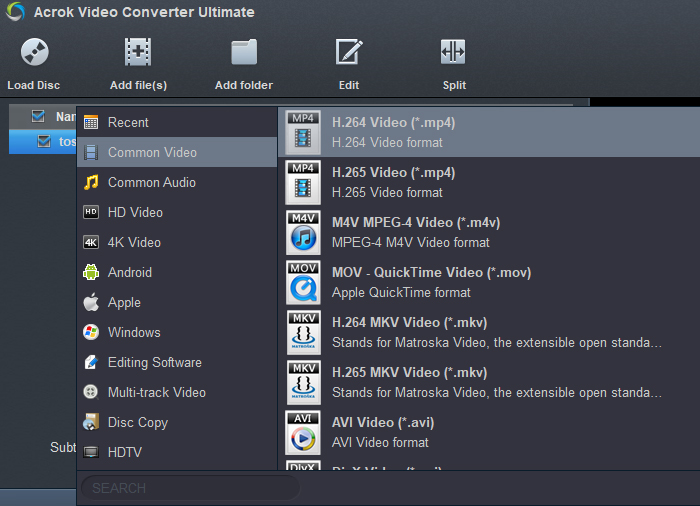
Tip: Acrok is a DVD digitizer for modern codecs (HEVC/H.265), so you can convert DVD to H.265 MP4, H.265 MOV and H.265 MKV.
Step 3: Click "Convert" button to start converting DVD to the target video format. After the DVD is converted into digital video, you can click "Open" button to locate the conveted files then freely transfer the result file to own device that don't have a hard drive.
02: Adobe Premiere Pro
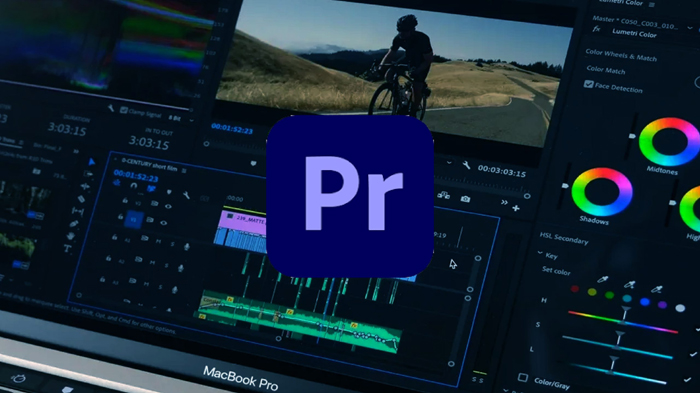
Premiere Pro itself is a powerful video editing software, but it does not have the capability to directly read or "crack" DVD discs, nor can it directly use a DVD disc as a source file for conversion. However, once you extract the content from the DVD to your computer using other tools, Premiere Pro can take over the subsequent work.
Premiere Pro cannot import or decrypt copy-protected, encrypted DVD files. For such discs, you must first use specialized DVD decryption and extraction tools (such as Handbrake, MakeMKV, etc.) to extract the video files. For unencrypted, homemade DVDs, although Premiere Pro supports importing VOB files from the video folder (VIDEO_TS), this process can be somewhat unstable. Some users have reported issues when directly importing VOB files, such as the software only recognizing the first chapter of the video (e.g., 8 seconds long), or encountering error messages like "File uses an unsupported compression format." This is because the structure of DVD VOB files may contain timeline breaks, preventing Premiere Pro from reading them completely.
Pros:
- Suitable for backed up DVD files.
- It can export popular video formats.
Cons:
- It's not free.
- It can't read DVD and convert DVD disc.
Download For Windows and Mac:
https://www.adobe.com/products/premiere.html
03: Handbrake - Best free DVD to digital converter 2026
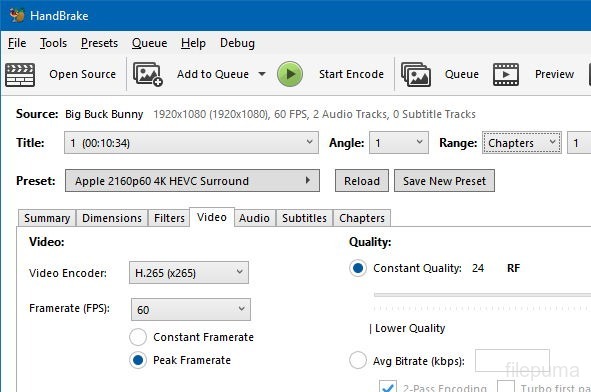
Handbrake is a fantastic free DVD ripping app that also works with Blu-rays. It provides many output options, quick settings for specific formats and devices, and it's completely free.
The catch with Handbrake is that it can't handle encryption. That means it doesn't work with most commercial DVDs. You can still use it to compress or change the format of movies or shows you've ripped with another app, but Handbrake itself can only rip unencrypted DVDs.
Pros:
- Totally free to download and use.
- Tons of output options.
- Open source.
Cons:
- Can't handle encryption, so it's useless on many commercial DVDs.
- Too complicated for some users.
Download For Windows, Mac, and Linux:
Link: https://handbrake.fr
04: DVDFab DVD Ripper
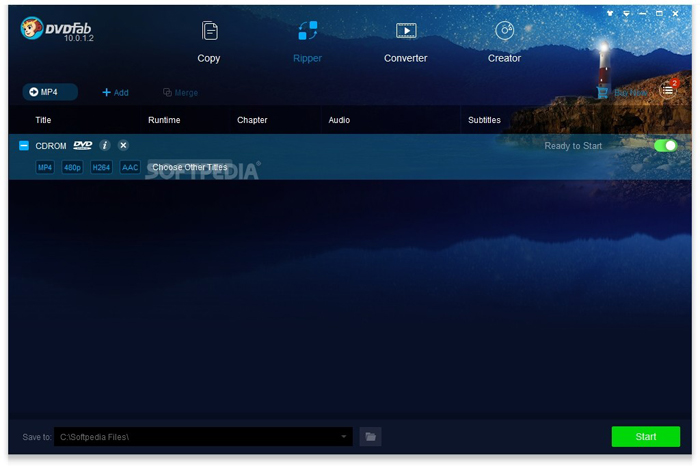
The strength of DVDFab DVD Ripper lies in its powerful decryption capabilities. If you frequently need to handle various encrypted, or even newer, DVD discs, it can provide a reliable solution. However, if your main goal is to back up your own collection of regular DVDs, its high price and complex trial version limitations might make it feel not worth the cost.
For most average users, it might be preferable to prioritize similar software with more reasonable pricing and simpler operation. If you do decide to try DVDFab, it is recommended to first download the trial version from the official website to confirm that it can smoothly process the discs you have, and that you are comfortable with its operation logic and speed, before considering a purchase.
Pros:
- Handles all encrypted DVDs.
- Fast ripping and encoding.
- Convert DVD to MKV, MP4, M4V, etc popular formats.
- Free trial.
Cons:
- Can't handle Blu-ray discs.
- It doesn't suppport common video covnersion.
- Full version is expensive.
- Cumbersome interface.
Download For:
Link: https://www.dvdfab.cn/dvd-ripper.htm
05: WonderFox DVD Video Converter
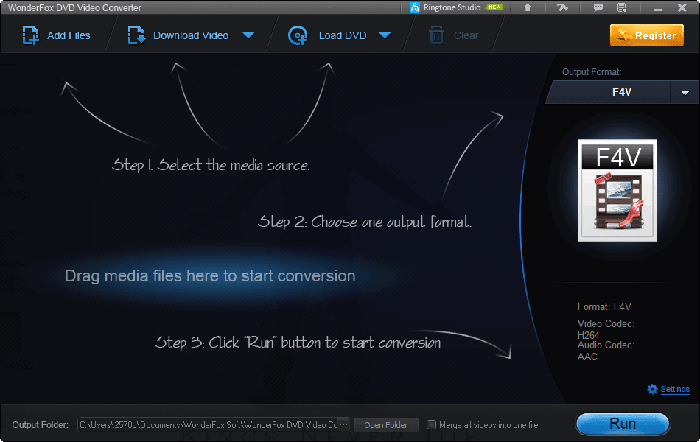
WonderFox DVD Video Converter will be your go-to solution to rip DVDs, convert HD/4K/8K/12K video and audio files, download online media, and edit your videos, all from one program. Includes Hyper Engine, a built‑in conversion mode that helps improve both speed and stability right from the start.
Pros:
- Fast Conversion Spee.
- Powerful DVD Ripping.
- User-Friendly.
Cons:
- Not compatible with macOS or Linux.
- It doesn't support Blu-ray ripping.
- Quality & Stability Concerns.
- The interface is simple but the design is outdated.
- Missing Professional Features.
Download WonderFox DVD Video Converter
Link: https://www.videoconverterfactory.com/dvd-video-converter/
06: Gilisoft Home DVD Converter
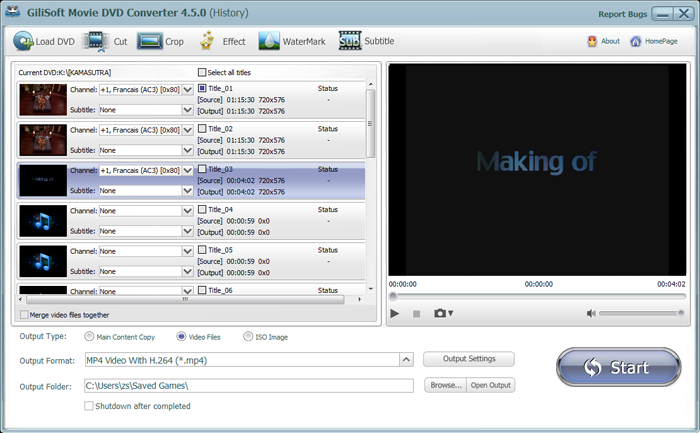
The biggest advantage of Gilisoft Home DVD Converter lies in its simplicity and the completeness of its basic functions, making it well-suited for home users who just need to quickly convert DVDs to common video formats and occasionally edit watermarks or extract audio. If you need a more professional and powerful DVD processing tool, you may want to consider other more advanced software.
While this software isn't cheap, it provides value. It's capable of handling most encrypted discs with ease, it gives a ton of options for encoding to various file formats, and you have a lot of freedom to adjust the quality of your videos versus the file size.
Pros:
- Handles most encryption.
- Upscale to 1080P.
- Easy to use.
Cons:
- Lots of complicated options.
- Can't handle the latest discs.
- Upscaling feature requires separate purchase.
Download Gilisoft Home DVD Converter
Link: https://www.gilisoft.com/product-dvd-converter.htm
Conclusion
Choosing the right DVD to digital covnerter software depends on balancing your need for speed, storage efficiency, and decryption power. For simple, lossless archiving of older discs, free tools like HandBreak serve as an excellent entry point. However, if you need to bypass the latest copy protections or compress files efficiently on PC, a dedicated solution like Acrok Video Covnerter Ultimate is essential.
Free try the best DVD decrypter and converter


 100% Safe & Clean




