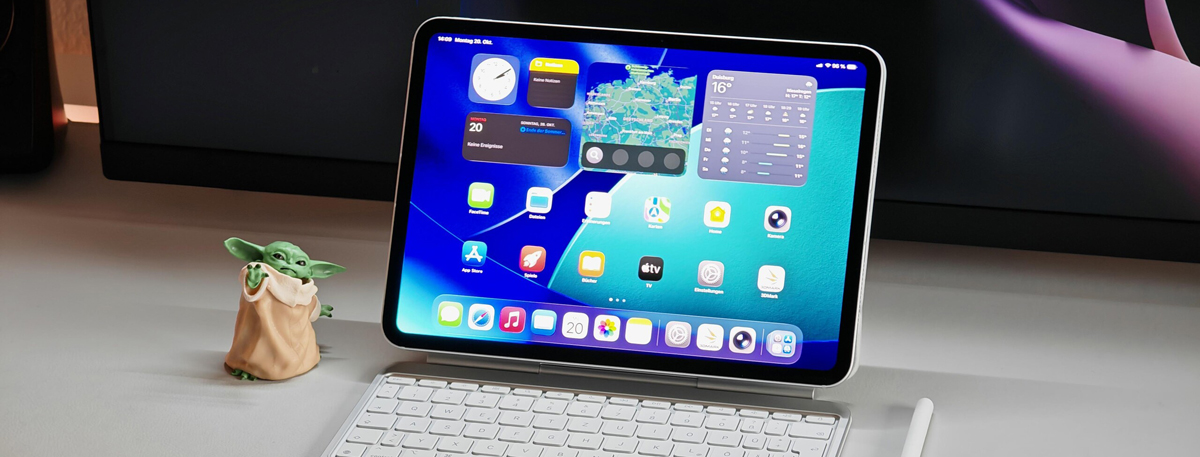
There are so many tablets and smartphones on the market, but a real audiophile will choose iPad Pro over any Android tablet out there. The Apple media players offer highly-detailed sound quality that beats the competition any day. In this guide, you will learn how to watch DVD movies on iPad Pro (13, 11).
Apple's 2025 iPad Pro is the latest iteration of the company's top-tier tablet. Outwardly, the tablet is indistinguishable from its predecessor, which means the M5 iPad has everything we like and dislike about the M4 iPad. The iPad Pro comes in two sizes. The 11-inch model measures 9.83 by 6.99 by 0.21 inches (HWD) and weighs 0.98 pounds, and the 13-inch model measures 11.09 by 8.48 by 0.20 inches and weighs 1.28 pounds. The 11-inch model has a resolution of 2,420 by 1,668 pixels, and the 13-inch model has a resolution of 2,732 by 2,048 pixels. They also have an adaptive refresh rate that ranges from 10Hz to 120Hz, which Apple calls ProMotion, and generate 1,000 nits and 1,600 nits of brightness.
So far, Apple has made a great contribution on multimedia enjoyment. The iPad Pro is a fantastic tablet, from it's excellent design, great battery life, speedy user interface, innovative software features and outstanding camera, it has almost all bases covered. Besides these, the big and stunning 13 Inch, 2K resolution display makes iPad Pro a great portable media player to watch movies. However, same as other tablets, one the few drawbacks is that the new Nokia T20 cannot play DVD movies (DVD disc, DVD ISO/IFO, DVD folder) directly. If you have favorite movies on DVD discs and you want to get them on your iPad Pro 2025 for amusement while on the go, you will find some useful information in the tutorial below to convert DVD to iPad Pro best playback format.
For watching DVD disc, a DVD drive or DVD player is indispensable. But the iPad Pro doesn't have any one, and the DVD Disc format is not supported by iPad Pro. Should I download a DVD player software for playing DVD movies on iPad Pro?
To watch all the DVD movies on iPad Pro, Acrok Video Converter Ultimate will give you hand. This DVD to iPad Pro Converter has both Windows and Mac versions. With this best DVD Ripper, you can rip DVD files to iPad Pro supported video format easily. This software offers an easy way to transcode virtually all video and audio types, camcorder footages and TiVo recordings to desired media format for portable multimedia devices.
Free download DVD Ripper for iPad Pro
Note: An external DVD drive is required for ripping DVD disc.
Tip: If you can't play your downloaded MKV, M3U, AVI, RMVB, MP4, MOV videos on iPad Pro, Acrok Video Converter Ultimate must be the best choice to play any common formats on iPad Pro. It can convert any format to many formats that iPad Pro supported, including H.264 MP4 and QuickTime MOV.
How to rip DVD to iPad Pro video format via best DVD Ripper?
Here the detailed way to convert DVD movies to iPad Pro video on Windows (Windows 11) is showed. The way to rip DVD for play on iPad Pro in Mac OS X (including OS X 10.7-15) is the same. Just make sure you've downloaded the right version.
1
Add DVD files
Install and run DVD to iPad Pro Converter on your computer. Insert DVD disc into DVD Drive. Click "Load Disc" to add the DVD files you want to convert.
 .
.
2
Choose a subtitle
Make sure you have selected the main title, and then choose desired subtitle track from "Subtitle" drop-down box.
3
Choose output format
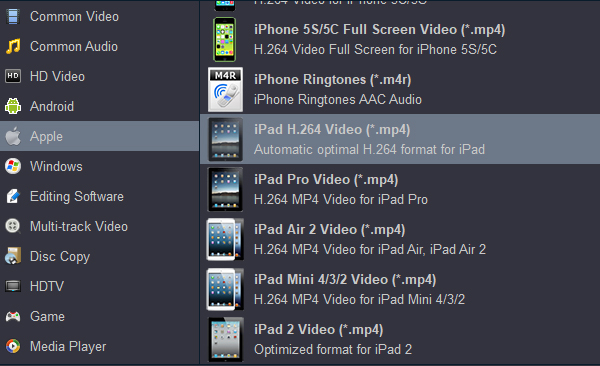
If you want to convert DVD to iPad Pro video format for playing, you can directly click Format and choose "iPad H.264 Video" or "iPad Pro Video" in "Apple" column as the output video format with the best settings. And if you want to convert DVD movies for playback on Smart TV/HDTV, just click HDTV and set the icon of your device as the output file format to convert DVD videos to fit your TVs.
4
Start conversion
When all the settings are OK, click the Convert button to start converting your DVD movies to MP4. When the conversion completes, you will get iPad Pro supported playback videos.
You can sync converted DVD movies to iPad Pro via Apple Devices app. After that, you can play the movie files with iPad Pro anywhere anytime.


 100% Safe & Clean




