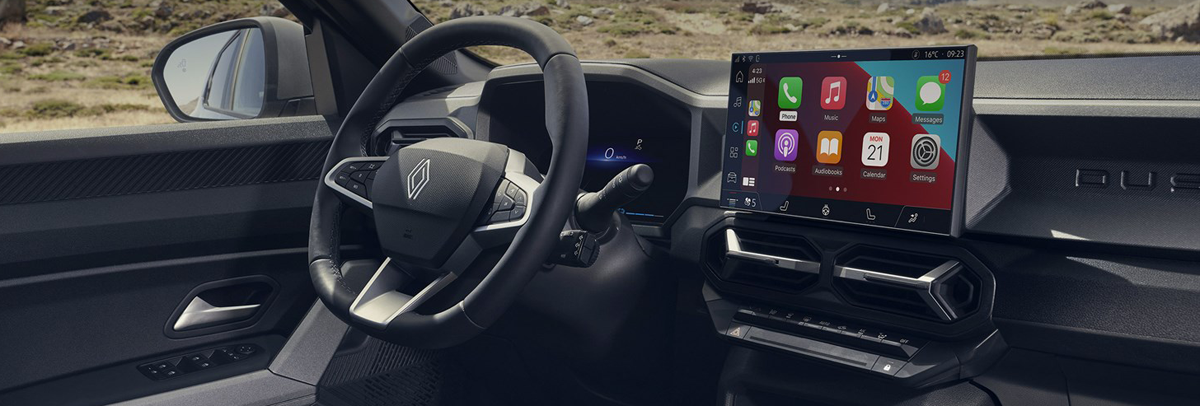
Renault is a renowned French automobile manufacturer with a rich history dating back to 1898. Known for its innovative spirit and distinctive design, Renault produces a wide range of vehicles, from compact city cars and family SUVs to commercial vans. The brand is a pioneer in electric mobility in Europe, with popular models like the ZOE and the all-new Megane E-Tech Electric. Beyond its civilian vehicles, Renault's racing pedigree is legendary, primarily through its involvement in Formula One. As a key pillar of the Renault-Nissan-Mitsubishi Alliance, it continues to push the boundaries of technology, design, and sustainable transportation.
You have many ways to enjoy to your favorite music in your Renault car or suv, from direct cable inputs to wireless transmissions. While it is possible to use a hard disk drive or even an SSD via a USB enclosure, USB flash drives are the way to go - both being small, fast, economical and easy to use.
Questions
My car stereo won't play all the songs in usb flash drive. My model is Renault Clio 2024.
Why my KOLEOS can't read MP3 files from the USB disk module?
Why the Alpine A110 won't play M4A audio files?
USB drive not Recognised / Supported in My Sandero stereo.
How to organize music on usb for Renault Sandero?
How to solve Renault usb loading error problem?
Can I play music from a usb stick in my MEGANE SEDAN?
And so on.
There are many issues on the forum about Renault models being unable to successfully play music from the USB drive. Perhaps you will encounter other problems, such as bluetooth connected to phone but doesn't play music. If you have a similar problem, then please read on.
In order to play music in Renault car or suv with USB, we need to do two things. One is to format your USB flash drive, and the other is to convert your audio / music files to an audio format supported by Renault Clio, Sandero, Alpine, Koleos, Kardian, DUSTER, MEGANE SEDAN, etc.
Format an USB Fkash Drive
If your USB has been mounted successfully, USB icon should appear where you have the source selection - Radio, Spotify etc. Try rebooting screen if not found. And remember - FAT32. FAT32 Format. Most flash drives, 32 GB and under, are pre-formatted for FAT32. Larger drives may be FAT32, exFAT or NTFS. Only drives that are formatted for FAT32 can be seen by our cars, so if it is in exFAT or NTFS, you'll need to reformat it.
Tips:
How to format a USB flash drive on Windows computer?
How to format a USB flash drive on Mac computer?
What format should a usb be for music?
Renault USB Audio/Music Formats : WMA, MP3, AAC, FLAC (Some modern systems)
We recommend WMA, as it is a lossless format, especially if you are ripping your existing CD library. Drive capacity is so cheap now it makes little sense to use lower-quality formats. Currently, very few download sites offer WMA, so you may have to live with lower quality MP3 or AAC files for downloads. There are no problems with having a mix of WMA, MP3 and AAC files on the same drive. If your car or suv can't read your music from Usb Flash Drive, Please convert your music to Renault USB supported audio format.
Free Audio Converter For Renault cars & SUVs
Acrok Video Converter Ultimate is a free music converter for Renault all models. With this software, you can convert Blu-ray, DVD, CD, Video to Renault USB supported audio format, convert unsupported WAV, WMA, APE, M4A, AC3, MKA, OGG, MP2, MPA, AIFF, DTS, AU to Renault supported MP3, AAC, WMA or FLAC formats. Besides that, the program provides optimized preset for almost all popular multimedia devices and game consoles incluing but not limited to smart TV, iPad, iPhone, Apple TV, tablet, smartphone, Xbox Series X, PlayStation 5, etc.
Free download free audio converter for Renault cars/suvs
Convert songs/videos/discs to Renault USB supported audio format
1
Load media files
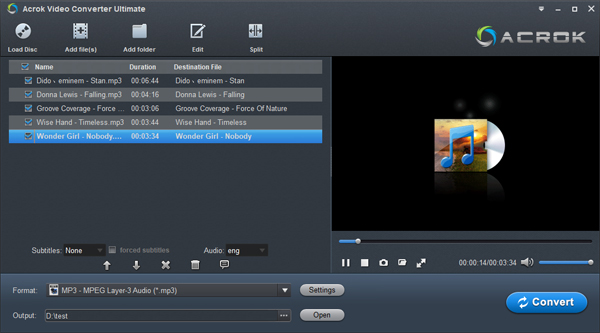
Run Acrok software as the free Renault Audio Converter. Click "Add file" to load your video or audio files into this program. Batch conversion is supported, so you can several files to the program to convert at a time. If you want to convert Blu-ray, DVD or CD to an audio format that supported by Renault cars/suvs, please insert your disc into your Blu-ray drive or DVD room, then click "Load Disc" icon to load your disc files.
2
Set output format
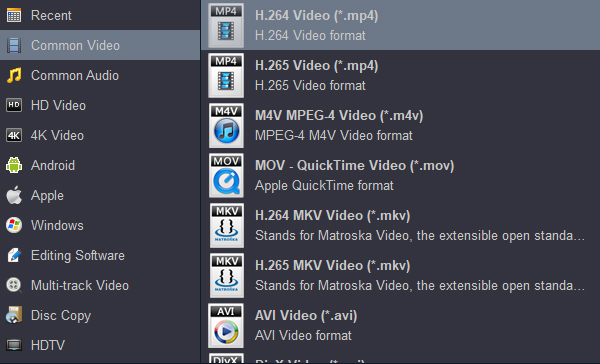
Since Renault supports WMA, MP3, AAC and FLAC audio playback, we can Click "Format > Common Audio" to select "WMA - Windows Media Audio (*.wma)" or "MP3 - MPEG Layer-3 Audio (*.mp3)" as output option.
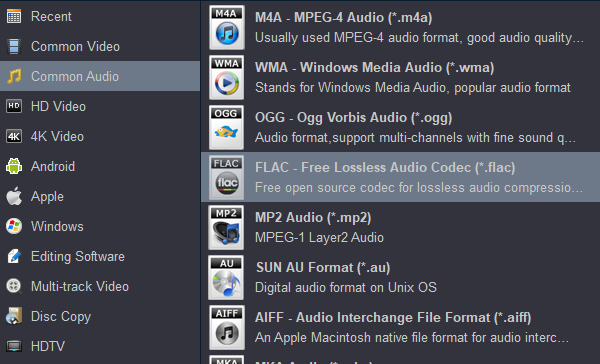
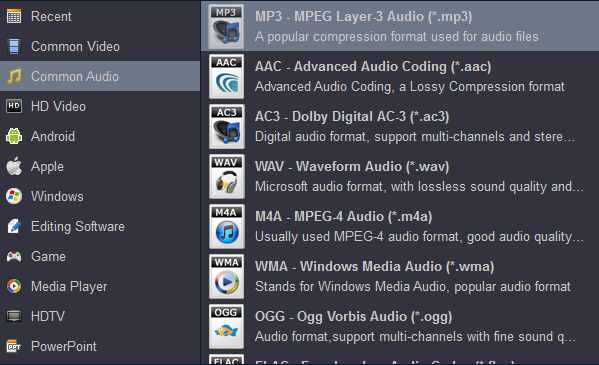
For playing own videos from USB on Renault cars or SUVs, H.264 MP4 it the best option for outputing. If you want to play movies on your tablet, smartphone or smart tv, please choose HD MP4 or 4K MP4 as output format.
3
Start conversion
Click "Convert" button to start video, audio or disc to Renault USB supported audio format conversion. When the conversion is done, click "Open" button to get the converted music, then transfer the songs to your USB device. Now you can enjoy any music in your Renault car or suv for free.
Note
For playing the converted Blu-ray, DVD and downloaded movies from USB in your Renault car or SUV, you have to install a media player software on the Renault. Here we take Renault Megane E-tech electric vehicle as an example to introduce how to install a player and how to play videos.
1. Download the VLC media player. It's fully tested and verified safe. Put the USB stick into your computer. We need to format your SB stick.
1) Go to "This PC" onthe taskbar, if you don't have it type PC into the search bar.
2) Navigate to the USB drive. Right click and goto "Format". Make sure it;s fat 32, exfat. Click on "Start".
3) Click "Ok" then click close.
2. Copy and paste the downloaded APK file into your USB drive.
3. Now go to your car and put the USB in the slot.
1) Click on "Apps" icon.
2) Click "Files".
3) Click USB on the bottom left.
4) Click on the folder where the APK files are stored.
5) Click on the APK the click "Continue".
6) Click "Install".
7) Click "Open".
8) Click "Next > Next > Allow permissions > Next > Yes".
The software will now search for media which takes a while depending on how much media you have. Wait for it to finish it takes a minute or two.
9) Open video to test. It will now give you a small tour of the buttons, read and click next until complete. Or play via USB from files app. All done.


 100% Safe & Clean




