

 >
>
"Copy Blu-ray movie to Iconia W4: I recently purchased a Acer Iconia W4 tablet and I can’t play Blu-ray disc on this Windows 8.1 tablet, how can I get my favorite Blu-ray files on my Iconia W4? How to transfer movies from Blu-ray Disc to Iconia W4? What should I do?”
Acer Iconia W4 Features
8.1-inch 1280 x 800p IPS display; 1.8GHz Intel Atom processor; 16GB or 32GB internal memory; Microsoft Office Home and Student 2013 Edition; MicroSD card slot; Bluetooth 4.0
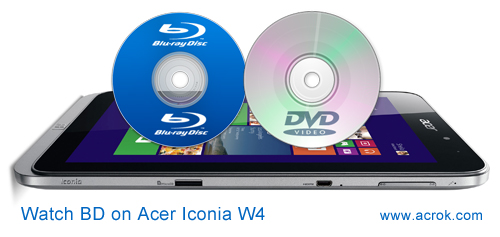
The Acer Iconia W4 is essentially an upgraded Iconia W3 with some minor cosmetic changes to its predominantly plastic body. There's now a silver grey that runs through the entire body and around the screen bezel. The 720P resolution is a good size for enjoying your downloaded moves. But you can't play Blu-ray and DVD movies on Iconia W4. Plan to get a BD drive for your Iconia W4? No, no, no. You can get a better way to play Blu-ray and DVD movies on Iconia W4.
Want to transfer Blu-ray moveis to Iconia W4? How to remove Blu-ray protection and watch Blu-ray on Iconia W4? This Acrok Video Converter Ultimate is highly recommended to help easily remove commercial Blu-ray protection and output MP4 videos for freely playback. This is top Blu-ray to Iconia W4 converter so far. With it, you can convert/compress Blu-ray, DVD and MKV/MOV/AVI to Iconia W4 best video format.
What we need?
- An external Blu-ray Disc drive
- Blu-ray converter tool - Best Blu-ray to Iconia W4 Converter
- Blu-ray Disc
You can free download Blu-ray to Iconia W4 Converter here. If you are a Mac user, you can try Acrok Video Covnerter Ultiamte for Mac. Please folllow below guide to transfer and play Blu-ray movies on Acer Iconia W4 freely.


Tip: Acer Iconia W4 is running Windows 8.1, we can convert Blu-ray to Windows 8.1 supported video format. Such as MP4, MOV. The ways to convert Blu-ray to Iconia W4 on Mac and Windows are the same. This below guide uses the Windows version screenshots. Just make sure you download the right version.
Install and run Iconia W4 Blu-ray Ripper. Insert your Blu-ray movie to disc drive, and click "Load Disc" button on Acrok software interface to load Blu-ray from ROM; it also support importing Blu-ray ISO and Blu-ray folder.

Acer Iconia W4 supported video formats: H.264, H.263, MPEG4, WMV, DivX. Here we select MP4 with H.264 codec for Acer Iconia W4. Click the Format drop-down list, and select "H.264 Video (*.mp4)" from "Common Video" category.
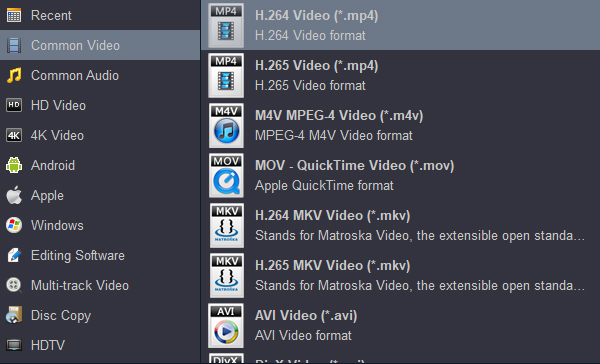
Tip: If you have special requirements on target video, click "Settings" to customize video size, bitrate, frame rate and sample rate. Here, you can input 1280 x 800 into video resolution column. This resolution can help you play full screen movies on Acer Iconia W4. And click "Ok" button.
Click the "Convert" button to start converting Blu-ray to H.264 MP4 for Iconia W4 right away. This conversion process will finish soon.
When the Blu-ray to Iconia W4 MP4 conversion is done, click the "Open" icon to quick locate the converted video. Connect your W4 to compurter and transfer Blu-ray movies to Iconia W4. Now, you can watch Blu-ray movies on the Iconia W4 freely.


It is easy to use for editing and conversion and makes great quality copies of my Blu-rays. I really like that I can turn up the volume on my Blu-rays. It is a great feature!
Timber
Copyright © 2026 Acrok Studio All Rights Reserved. Terms and Conditions | Privacy | Refund Policy