

 >
>
The iPad Air 2 is thinner and lighter than last year's iPad Air, it's an impossibly thin 6.1 millimeters, making it our thinnest iPad ever. The A8X, that delivers substantially better CPU and graphics performance than its predecessor. With it's 2048*1536 height resolution, you can get better visual experience. It's a pity, no tablet is equipped with a BD drive. But it is still possible to watch Blu-ray movies on an iPad Air 2 which can drive you feel the vivid and fluent color with its 9.7'' Retina display. A iPad Air 2 Blu-ray Ripper can bring tremendous Blu-ray viewing experience to you by means of ripping Blu-ray sources to iPad Air 2 playable media formats.
Why you need this iPad Blu-ray Ripper? The advantages are quite apparent. First of all, you can make most of your Blu-ray collections and the marvelous features of Apple iPad Air 2. Secondly, it turns your iPad Air 2 into a powerful media center and you can enjoy high definition digital files on the move. And it also can get your iPad Air 2 away from those annoying adware, spyware, potential viruses, and frequently interrupted online video playing.
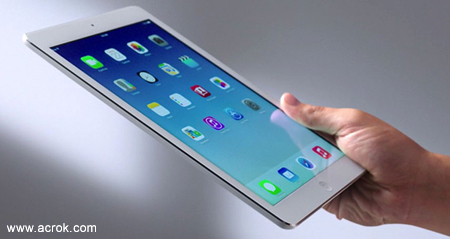
Since a Blu-ray to iPad Converter can bring so many convenience and advantages, what is the top best one? Acrok Video Converter Ultimate is quite perfect and does well in converting Blu-ray discs to iPad Air 2, iPad Pro and iPad Mini best playback video format.
Free download Acrok Video Converter Ultimate (Windows | Mac)


What video format can play on iPad Air 2? From www.apple.com, we know that H.264 MP4 is the best playback video foramt for iPad Air 2, so we can rip and convert Blu-ray to H.264 MP4 video via Blu-ray to iPad Air 2 Converter.
You can download a free copy of Acrok Video Converter Ultimate and test its features before actual order. With this app, you own not only a Blu-ray DVD ripping tool, you get a video editing package. With its built-in-editor, you can trim, crop, split, merge, attach srt subtitle file, add video effect, etc.

Add Blu-ray from disc drive into iPad Air 2 Blu-ray ripping software by clicking "Load Disc" icon. Or you can choose to import Blu-ray ISO image or Blu-ray folder from hard drive.
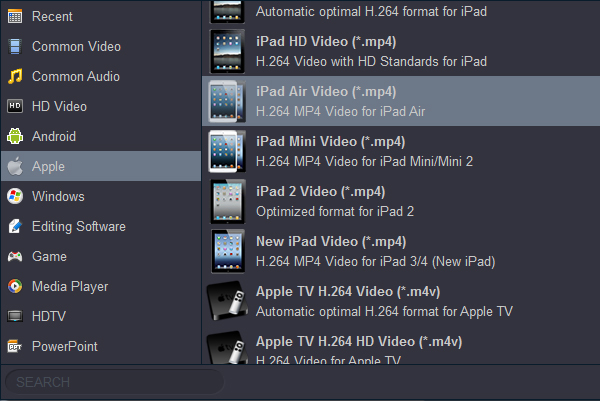
Make sure you have selected the main title, and then choose desired subtitle track from "Subtitle" drop-down box. Move to "Format" menu, find "Apple" category and choose "iPad Air Video(*.mp4)" as output format.
Back to program main interface, hit on the "Convert" button and start to create MP4 video from Blu-ray disc.
When the conversion is done, you can click "Open" button to locate the generated MP4 video in output folder and transfer to iPad Air 2 for playing.


Excellent video converiosn software, I have tried many others and none have the ability to perform so many functions as Acrok Video Converter Ultimate. Operations move seamlessly producing high quality output. Great Job.
Ignatius Gouws
Copyright © 2026 Acrok Studio All Rights Reserved. Terms and Conditions | Privacy | Refund Policy