

 >
Watch MKV on OnePlus Pad 3 / 2
>
Watch MKV on OnePlus Pad 3 / 2
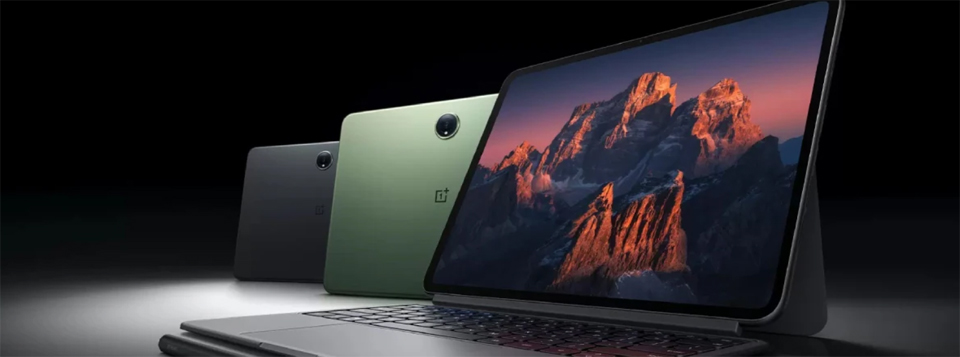
Q1: "I have a black screen and sound with MKV files on OnePlus Pad 3. Anyone else have this issue? What can I do?"
Q2: "I have a problem playing MKV files on my OnePlus Pad 2 (the screen remains black). Any help?"
Searching the OnePlus forum, I noticed many users are troubled by issues when playing MKV videos on the OnePlus Pad 3 or OnePlus Pad 2. Actually, there are a few reasons that cause this issue. One of the main reasons is video format or codec incompatibility. As we know, the OnePlus Pad doesn't yet support H.265, DTS, or Dolby 5.1/7.1. To quickly solve the problem, here are two quick and easy methods.
As screens become larger and larger, people increasingly prefer to watch movies on their tablets. Compatibility is the biggest obstacle to enjoying HD and 4K movies on a tablet. Generally speaking, MKV and other high-definition video formats are not playable on the OnePlus Pad 3 or 2. So, you will need a powerful tool to help you. In this post, we are going to show you the best methods to play MKV on OnePlus Pad. If you want to enjoy MKV videos on your device, you can choose a method introduced in this article and follow our guides. In short, our guides can help you play MKV movies on OnePlus Pad more easily than ever.
VLC for Android will play pretty much any audio or video format, definitely including MKVs, and it's a free, open-source project. Of course, you can also try MX Player, Mobo Player, YxPlayer, and KMPlayer – these apps can help you solve the problem of the OnePlus Pad not being able to play MKV files. But is there a way to successfully play videos on your OnePlus Pad without installing an app?
Almost all Android tablets have system multimedia players, although they may not support 4K MKV playback. If you do not want to install a third-party media player, you can convert videos to a format supported by the OnePlus Pad for watching MKV. We recommend Acrok Video Converter Ultimate because it can transcode MKV files without quality loss. If you are a Mac user, Acrok Video Converter Ultimate for Mac can handle the MKV conversion job easily.
Free download MKV to OnePlus Pad Converter here
 100% Safe & Clean 100% Safe & Clean
Tip: With Acrok Video Converter Ultimate, you can:
Download and install Acrok Video Converter Ultimate – the MKV to OnePlus Pad Converter – on your computer. It has dedicated versions for Windows and Mac.
Run the top MKV Converter for OnePlus Pad 3/2 and click the "Add File" button on the top ribbon to load the MKV video you want to watch on your OnePlus Pad.

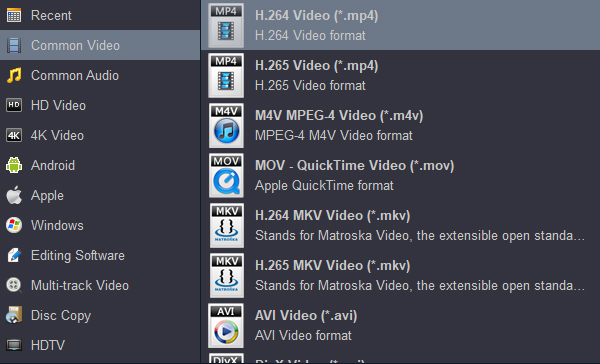
Click the output format drop-down list by selecting "Format" to choose the output for OnePlus Pad. H.264 MP4 is your best choice. Optionally, you can also customize the settings for the output format to adjust codec, bitrate, sample rate, resolution, etc.
Click "Convert" to start transcoding. When the conversion is done, click the "Open" button to locate the converted videos. You can then transfer the video to your OnePlus Pad 3 or OnePlus Pad 2 and play it with the system media player.


I like its batch convertion function. When the convertion starts, I can go out for a walk and get what I want when I come back.
Sam Stansbery
Copyright © 2026 Acrok Studio All Rights Reserved. Terms and Conditions | Privacy | Refund Policy