

 >
Copy Blu-ray/ DVD to Nokia tablet
>
Copy Blu-ray/ DVD to Nokia tablet
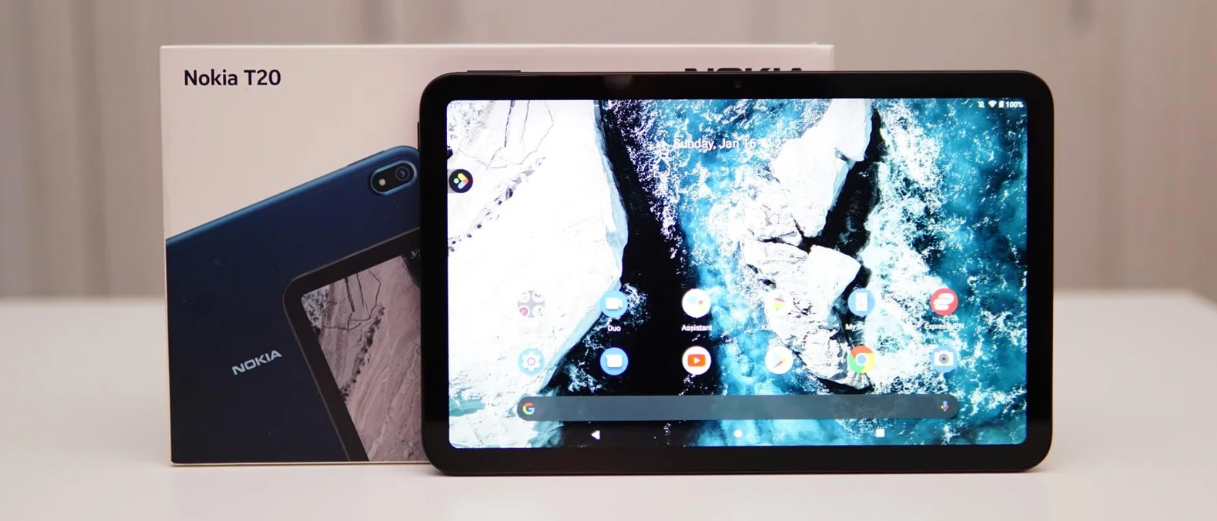
The Nokia T10, T20, and N1 tablets are well-loved for their solid build and clean Android system. However, none of them have an internal optical drive, so they cannot read Blu-ray or DVD discs directly. If you own a large collection of physical discs and want to enjoy them on your Nokia tablet, you first need to convert the disc content into a tablet-compatible video format. A professional tool recommended for this task is Acrok Video Converter Ultimate, which helps you easily complete the process and ultimately play Blu-ray and DVD on Nokia tablet.
Many households still own hundreds of Blu-ray and DVD movies that they have legally purchased over the years. Streaming services often rotate their libraries, remove titles without notice, or require multiple subscriptions to cover all desired content. By converting physical discs to digital files and playing them on a Nokia tablet, users gain permanent offline access to their favourite films without relying on an internet connection or recurring fees. Nokia tablets are lightweight, portable, and feature bright high-resolution screens – ideal for watching movies during commutes, flights, or while relaxing in bed. Furthermore, parents can convert children’s animated DVDs so that kids can enjoy familiar stories on a tablet during long car trips. In short, moving your disc collection to a Nokia tablet gives you convenience, control, and preservation of your media investment.
Even if you have a USB external optical drive, Nokia T10/T20/N1 tablets run on Android, which does not natively support the encrypted file systems of commercial Blu-ray and DVD discs. Plugging an external drive into the tablet’s USB-C port will not allow you to play the disc like on a computer or a dedicated player. The tablet’s operating system lacks the necessary decryption keys (such as AACS for Blu-ray and CSS for DVD) and the licensed codecs to decode disc menus and copy-protected video streams. Moreover, even if the disc were readable, the raw VOB or M2TS files are not designed for touch-friendly, mobile playback – they contain multiple small segments, subtitle streams, and chapter information that standard Android media players cannot interpret correctly. Therefore, without converting the disc into a unified, tablet-friendly video file, there is no straightforward way to watch your physical movies on a Nokia tablet.
Acrok Video Converter Ultimate (For Windows | For Mac) is a powerful audio-video conversion software that provides efficient decryption and conversion for Blu-ray/DVD discs, folders, and ISO image files. It supports converting discs into common formats such as MP4, MKV, and AVI, and can optimise output parameters for the Nokia tablet’s screen resolution (e.g., 1200×1920 or 2000×1200). The interface is simple, conversion speed is fast, and it preserves original picture quality and multi-channel audio tracks.
Free download the Blu-ray Ripper for Nokia Tablet
1. Convert the disc content
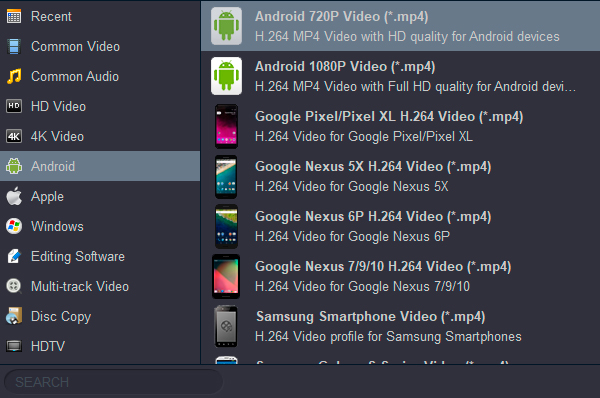
Install and launch Acrok Video Converter Ultimate as the best Blu-ray ripping software on your computer, and insert the Blu-ray or DVD disc into the optical drive. Click the “Load Disc” button – the software will automatically recognise the main movie. You can select subtitles, audio tracks, and chapters you want to keep. Then, from the output format list, choose a preset suitable for Nokia tablets (e.g., “Nokia T20 MP4” or a generic “Android Tablet 1080p”). After making your settings, click “Convert”. The software will turn the disc content into a high-quality video file.
 .
.
2: Copy the file to the tablet
Once conversion is finished, you need to copy Blu-ray/DVD to Nokia Tablet. Connect your Nokia tablet to the computer using a USB cable, and on the tablet select “File Transfer” mode. On your computer, open the tablet’s storage directory, then drag and drop the converted video file directly into the “Movies” or “Videos” folder. If the file is large, be patient while it copies.
3: Transfer the file (wireless method)
If you prefer to avoid cables, you can also transfer Blu-ray/DVD to Nokia Tablet wirelessly. For example, upload the converted file to Google Drive or Dropbox, then install the corresponding cloud app on your Nokia tablet and download it. Alternatively, use cross-platform transfer tools like Send Anywhere to connect directly between your computer and tablet via Wi-Fi. Either method ensures that the video file reaches your device quickly and safely.
4: Start playing
After the file is successfully stored on your Nokia tablet, you can watch Blu-ray and DVD on Nokia Tablet anytime. The tablet’s built-in media player usually supports common formats like MP4. If you encounter codec compatibility issues, install third-party players such as VLC for Android or MX Player – they can smoothly play high-bitrate videos. In this way, whether commuting or travelling, you can enjoy the wonderful content from your physical discs on the big screen.
With the help of Acrok Video Converter Ultimate, Nokia T10/T20/N1 users can completely break free from the limitations of an optical drive in just a few steps – convert, copy, transfer, play. Your tablet is no longer just a streaming device; it becomes a portable home cinema.


Video Converter Ultimate is the best version of Acrok soft video conversion software. Rip my Blu-ray discs to H.264 MP4 with 1280*800 pixels. I can play any format on my Nokia T10 freely. Thank you very much.
Leif Persson
Copyright © 2026 Acrok Studio All Rights Reserved. Terms and Conditions | Privacy | Refund Policy