

 >
Edit Sony A1 II MP4 in DaVinci Resolve
>
Edit Sony A1 II MP4 in DaVinci Resolve
How to Fix "DaVinci Resolve Won't Import Sony Alpha 1 II MP4 Video Files"? Serious? DaVinci Resolve can't import Sony Alpha 1 II MP4 files? Yes, this does happen but not often. DaVinci Resolve is the world's only all in one solution for editing, color, VFX, motion graphics and audio! In most cases, DaVinci Resolve can import MP4 files without effort. Then why there are DaVinci Resolve users asking why I can't import Sony Alpha 1 II 4K MP4 to DaVinci Resolve 19 for editing? You'll find the answer and solutions on this page.
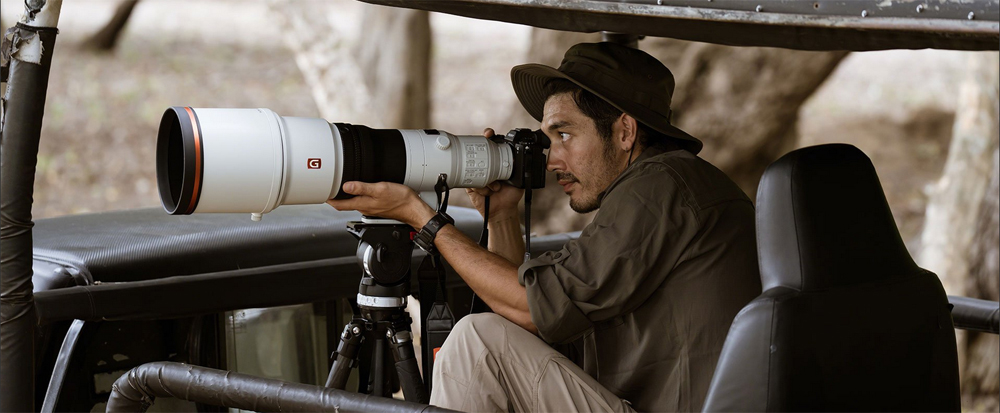
The Sony Alpha 1 II is the company's latest flagship full-frame mirrorless camera. It's built around the same 50.1MP stacked CMOS sensor as the original but now includes an "AI processing unit," which allows its autofocus system to recognize seven different subject types and to automatically select one based on what's in the scene.
According to Blackmagic Design, DaVinci Resolve can't import files ending with XAVC HS, XAVC S-I and XAVC S HD codecs. So how do you import Sony a1 II .mp4 footage to DaVinci Resolve? Many people are asking this. Is there any way to convert Sony a1 II video to DaVinci Resolve supported formats? This article introduces proven answers to these MP4 questions.
You have two options: For those who want to stick with DaVinci Resolve, simply change Sony Alpha 1 II files to DaVinci Resolve supported formats like MOV. But I prefer to more powerful video editing software similar to DaVinci Resolve. Acrok Video Converter Ultimate is highly recommended here. So this article will contain all the following proven solutions.
 100% Safe & Clean 100% Safe & Clean
There are many MP4 to DaVinci Resolve video converter on the market. Here I'm going to show you how to change Sony Alpha 1 II to H.264, DNxHD Apple ProRes codec for using Acrok software. It includes an DaVinci Resolve-optimized output format for instant use.
Download Acrok Video Converter Ultimate and launch it after installation. The primary screen is intuitive, much better than those with complicated interface. To import Sony A1 II MP4 videos to DaVinci Resolve video converter, click the "Add file" button then choose your Sony Alpha 1 II files from your PC or SD card. You could also directly drag and drop Sony A1 II files to the application.
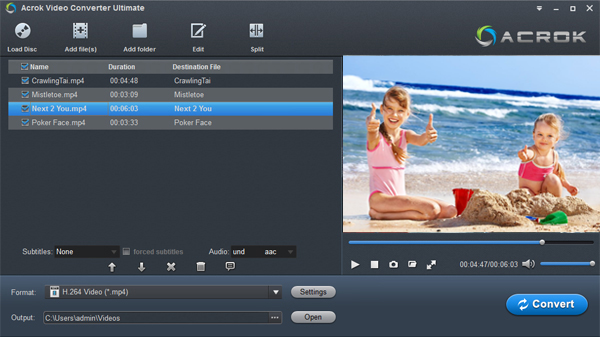
This MP4 to DaVinci Resolve Converter helps you to convert any video compatible with DaVinci Resolve 19, 18, 17, etc. The MP4 for DaVinci Resolve profile is preset with parameters that work perfectly with DaVinci Resolve. Just go to the Format tab and select MOV for DaVinci Resolve. This video converter is also useful if you need to rip/convert Blu-ray movies to various formats for playing on smart tv or tablet.
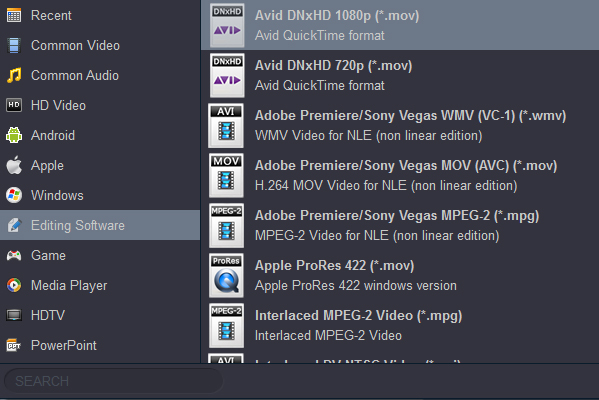
Now click the Convert button and in seconds, your video files will become totally compatible with DaVinci Resolve. After the conversion is complete, go to the output folder in Open and select files and drop to an event in the Libraries list in DaVinci Resolve.


It's hard to find such a powerful and comprehensive video conversion software. I can edit my 4K MP4 videos with Vegas Pro 19 without any problem. Thanks.
Power, Melissa
Copyright © 2026 Acrok Studio All Rights Reserved. Terms and Conditions | Privacy | Refund Policy