

 > LG Blu-ray player USB Video Formats
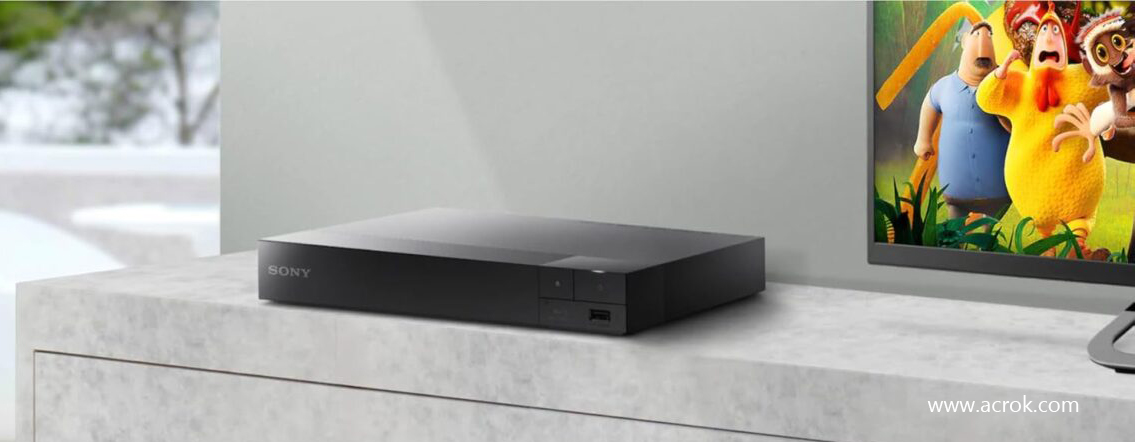
New Sony Blu-ray player won't play MKV videos from USB
Hi, I got a brand new Sony Blu-ray player two days ago. Last night I watched a bundled movie on my 1080p LG HDTV, and the picture quality was amazing. Today, I put some 4K MKV files onto a USB drive — they're mixed with DTS audio tracks. For some reason, when I navigate to the "Video" section with the remote, the player sees nothing at all. I've already updated the firmware to the latest version, but that didn't fix the issue. Any help would be appreciated. Thanks.
Many Sony Blu-ray player owners experience frustration when they try to play downloaded movies directly from a USB drive, only to find that the files are not recognized or fail to play properly. This compatibility issue stems primarily from format mismatches: Sony Blu-ray players support a limited set of video codecs, container formats, audio codecs, and subtitle types. Most downloaded movies use modern formats such as H.265 (HEVC), MKV containers with DTS audio tracks, or ASS/SSA subtitles, none of which are fully supported on many Sony models. Additionally, USB drives formatted with unsupported file systems or video files exceeding the player's resolution and bitrate limits can further prevent successful playback.
The good news is that this problem has a straightforward solution: convert your video files into a format that your Sony Blu-ray player can natively understand. By transcoding incompatible videos into the player’s preferred specifications, you can enjoy your entire media library directly from a USB drive without any playback issues.
Sony Blu-ray players have relatively standardized support for USB devices (USB flash drives, external hard drives) playback. The table below shows commonly supported containers and codecs:
| Container (File Extension) | Video Codec | Notes |
|---|---|---|
| MP4 | MPEG-4 AVC (H.264), H.265 (HEVC) (H.265 only on 4K models) |
Best compatibility; supported by almost all Sony Blu-ray players. |
| MKV | H.264, H.265 (HEVC) on some models | Note: Sony has limited audio support for MKV (often needs AC3 or AAC; DTS may not decode). |
| AVI | MPEG-4 (DivX/Xvid), Motion JPEG | Widely supported, but high resolution or high bitrate may stutter. |
| MPEG-2 PS/TS | MPEG-2 | Common in digital TV recordings; extensions .mpg, .m2ts, .mts. |
| AVCHD | H.264 | HD format from Sony/HDR camcorders; playable directly. |
| WMV | WMV9 (VC-1) | Supports Microsoft format, but DRM-protected files cannot play. |
| DivX | DivX 4/5/6 | Requires DivX-certified models (most Sony models are certified). |
| Xvid | Xvid | Usually supported together with AVI; equivalent to MPEG-4 ASP. |
1. Resolution limits:
Standard Blu-ray players: Maximum 1920×1080 (1080p).
4K UHD Blu-ray players: Maximum 3840×2160 (4K), but only for H.265-encoded 4K files played via USB/network.
2. File system: USB drives must be formatted as FAT32 or NTFS.
3. Bitrate: 4K files with bitrates exceeding 50 Mbps may not play smoothly.
4. Filename and path: Avoid special characters and overly long paths; Chinese characters are supported on some models, but using English/numbers is recommended.
The most effective and reliable method to resolve these playback issues is to convert your video files using a professional video conversion tool. By converting videos to the optimal format for Sony Blu-ray players, you ensure smooth, glitch-free playback every time.
Based on Sony’s official specifications and extensive user testing, the recommended output format for maximum compatibility is:
This combination works across virtually all Sony Blu-ray player models, from older BDP-S series to the latest UBP-X series 4K players.
To accomplish this conversion efficiently and with high quality, Acrok Video Converter Ultimate is an excellent choice. This powerful software is specifically designed to convert virtually any video format, including MKV, AVI, WMV, MOV, MTS, MXF, DVD, and Blu-ray, into formats optimized for various playback devices, including Sony Blu-ray players.
 100% Safe & Clean 100% Safe & Clean
Key features of Acrok Video Converter Ultimate include:
Follow these simple steps to convert your videos using Acrok Video Converter Ultimate:
Go to the official Acrok website and download the appropriate version for your operating system (Windows or Mac). Install the software by following the on-screen instructions.
Open Acrok Video Converter Ultimate. Click the Add Files button on the main interface to import your video files from your computer or directly from your USB device. You can also drag and drop files directly onto the interface. The software supports batch conversion, so you can add multiple files at once.

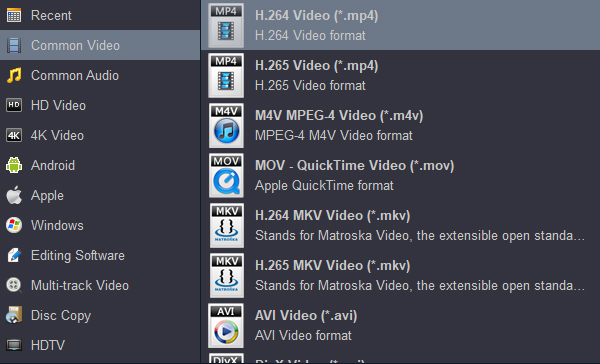
Click the Format drop-down menu to choose the appropriate output format. For the best compatibility with Sony Blu-ray players, navigate to the Common Video tab and select H.264 Video (*.mp4). This MP4 container with H.264 video codec provides the widest compatibility across all Sony models.
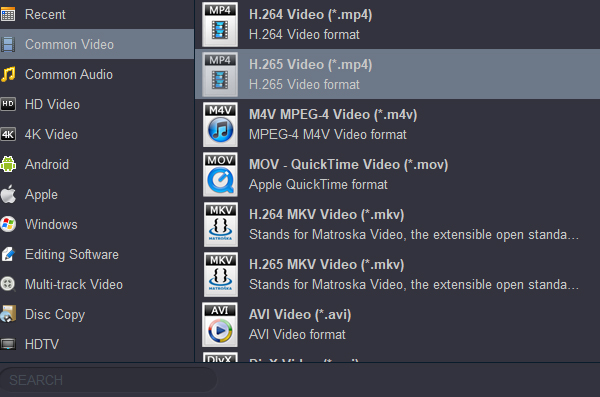
If you own a 4K Sony Blu-ray player (such as the UBP-X700 or UBP-X800M2), you may also consider selecting a 4K H.265 MP4 profile to preserve Ultra HD quality, as these models support H.265 codec playback via USB.
For advanced users, click the Settings button next to the format selection to manually adjust parameters such as:
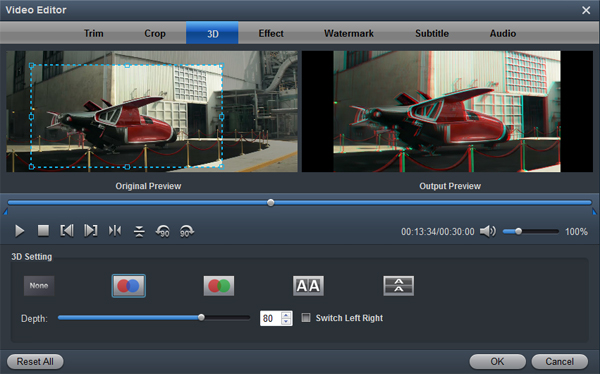
Before conversion, you can click the Edit button to access powerful editing tools:
In the Output menu, browse and select a destination folder where your converted files will be saved. This could be a folder on your computer for later transfer to USB, or directly to your USB drive.
Click the Convert button to begin the conversion process. The software will process your files using GPU acceleration for fast results. Once completed, click the Open button to locate your converted video files.
Copy the converted files to your USB drive. Insert the USB drive into your Sony Blu-ray player's USB port, navigate to the Video section, and enjoy seamless playback.
While Sony Blu-ray players offer excellent disc playback and media streaming capabilities, their USB video playback is inherently limited by format compatibility constraints. Many users encounter frustrating playback failures when trying to watch downloaded movies directly from USB drives, but this problem has a clear and effective solution.
By converting incompatible video files to the optimal format-MP4 container with H.264 video codec and AAC audio-using a professional tool like Acrok Video Converter Ultimate, you can reliably enjoy your entire video collection on your Sony Blu-ray player via USB. The software’s intuitive interface, batch conversion capabilities, and Sony-specific presets make the process quick and straightforward, even for users with no technical background. With high-quality output and hardware-accelerated conversion speeds, Acrok delivers excellent results without unnecessary complexity.
Don't let format incompatibility stand between you and your media library. Convert your videos once, save them on a USB drive, and enjoy hassle-free playback on your Sony Blu-ray player anytime you want.


Acrok Video Converter Ultimate is so much faster than what I was using before - it's silly. Very satisfied! There has been absolutely NO conversion that it has not tackled flawlessly. Quick, clean interface and simple to use.
Barry Campbell
Copyright © 2026 Acrok Studio All Rights Reserved. Terms and Conditions | Privacy | Refund Policy