

 >
Sony Bravia TV MP4
>
Sony Bravia TV MP4
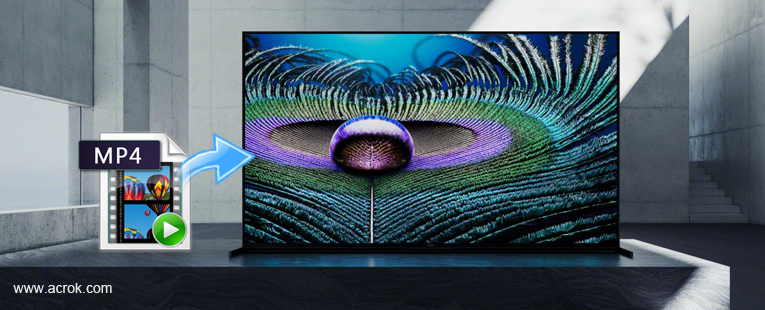
Question:
I bought Sony Bravia XR A80K 4K HDR OLED TV last month, but it can't read my 4K MP4 movies (The Fate of the Furious) from USB. Strangely, it can play other MP4 files smoothly. I just couldn't figure out how to solve the problem. I hope you can help me.
Your Sony Bravia TV refuses to play some MP4 files, displaying an unhelpful codec error message "file format not supported"? This article aims to help you out. Here we will present a solution to watching MP4 movies on Sony Bravia TV from USB with ease.
First of all, Most Sony TVs do support external MP4 playback. Like most of the smart TVs, Sony Bravia TV models usually have the ability to play digital videos from external devices like USB or HDMI cable. However, if you are planning on playing MP4 videos on your Sony Bravia TV, there are a couple of things that you should know.
As far as we know, even these latest 4K TVs have limitations. If your Sony Bravia TV failed to play some downloaded MP4 files, it may due to th video audio codcs, resolution, etc. And the best format that Sony Bravia TV can support is H.264 MP4. So if you want to watch MP4 movie on Sony Bravia TV from USB, you'll need to convert MP4 to H.264 MP4 and then add the converted video to Sony Bravia TV for playing via USB port.
To accomplish the task, you need to seek help from a MP4 Video converter that supports SD, HD, 1080P and even 4K. Here Acrok Video Converter Ultimate is highly recommended to help you achieve your task. The program can help you change almost any popular file format includingMP4, MKV, MOV, AVI, WebM, VOB, Blu-ray disc, DVD disc, etc. to Sony Bravia TV compatible video format with fast encoding speed and excellent output quality. After the conversion, you can easily playback your MP4 video files on Sony Bravia TV and other Sony TVs.
If you're using a Mac, please turn to the Mac Sony TV Video Converter. Just get the right version and follow the guide below to convert MP4 to Sony Bravia TV supported video formats.
Free download and try MP4 to Sony Bravia TV Converter
 100% Safe & Clean 100% Safe & Clean
Launch the MP4 Video Converter for Sony TV. Click the Add Files button on the main interface to import .mp4 files to the app. This MP4 to Sony Bravia TV Converter supports batch conversion, so you can add a pile of videos to enjoy the fast conversion speed.

Click Format and choose H.264 MP4 as the output format on the Format > Common Video list.
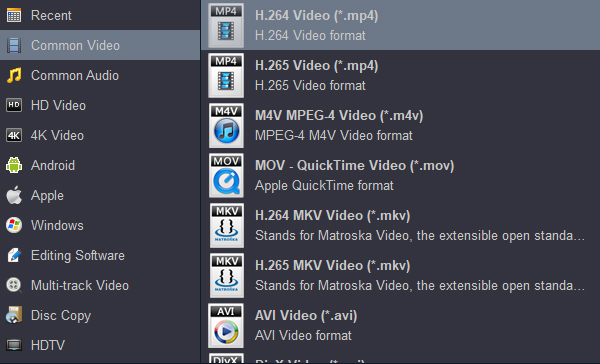
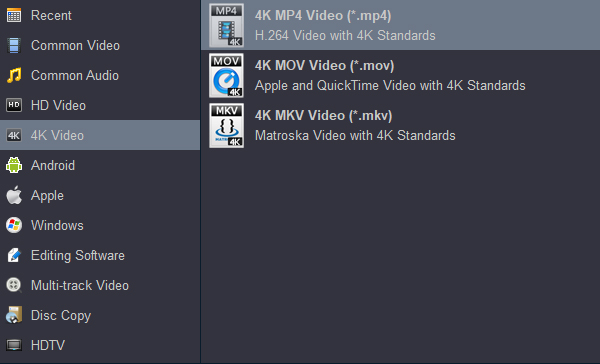
If you want to play orginal 4K resolution on your Bravia TV, you can choose "4K Video" > "4K MP4 Video (*.mp4)" as target format.
Hit on "Convert" button to start encoding MP4 files to Sony Bravia TV supported format.
When conversion completes, press on "Open" to locate converted videos. Add the converted files to USB and then transfer to your Sony Bravia TV set for enjoyment.


This is a very useful software. I can convert the formats that are not supported by the TV into movies that can be played, and I can use it to edit 4K videos I shot.
-Mishra, Manoj
I use it to convert videos and audios in various formats, and the result is quite good.
- Lema, Michael
Copyright © 2026 Acrok Studio All Rights Reserved. Terms and Conditions | Privacy | Refund Policy