

 >
Convert VOB to MP4
>
Convert VOB to MP4
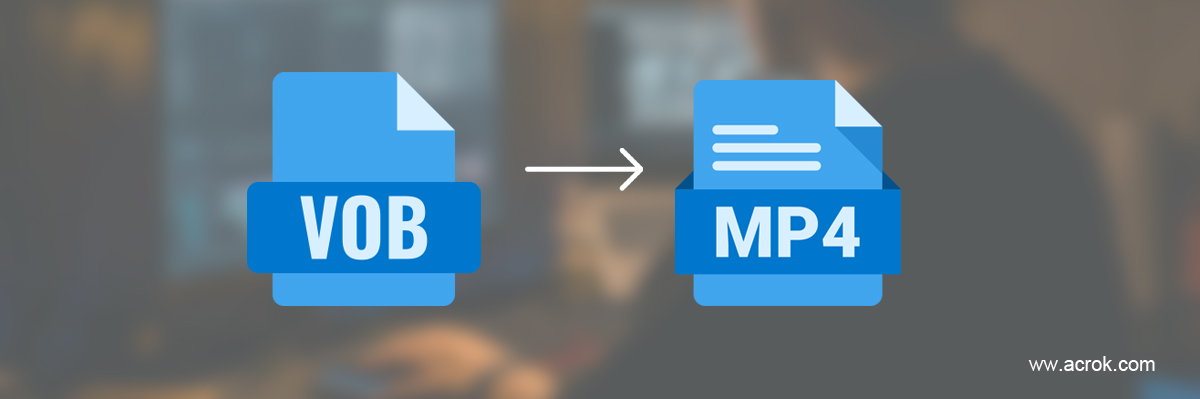
Looking for an easy way to convert VOB to MP4 so that you can play and edit your videos on devices smoothly? In this article, you can find the detail steps to change VOB files to MP4 on Windows/Mac.
If you have ever owned a DVD collection or ripped video from a disc, you have probably encountered the VOB file format. VOB (Video Object) is the container format used in DVD-Video media, typically found in the VIDEO_TS directory on a DVD with a .vob extension. This format was developed by the DVD Forum to store not only digital video and audio but also subtitles, DVD menus, and navigation contents all multiplexed together into a single stream. VOB is based on the MPEG-2 program stream format, which is why VOB files often appear bulky compared to modern video files. While VOB plays well on dedicated DVD players and certain software, it is not a format designed for the modern mobile era. This explains why more and more users look for a VOB to MP4 Converter to liberate their DVD libraries.
Despite VOB being reliable for physical disc playback technology from the 1990s, the advantages of switching to MP4 are extremely compelling today. Here is why the majority of users choose to convert VOB to MP4:
Superior Compatibility
VOB is essentially tied to DVD players and a handful of legacy software. MP4, on the other hand, plays natively and seamlessly on virtually every device-smartphones, tablets, smart TVs, gaming consoles, Windows, Mac, and web browsers. If you wish to convert VOB to MP4 online and watch your videos on the go, MP4 is the standard.
Reduced File Size While Preserving Quality
VOB files use MPEG-2 video compression, which is quite inefficient by today‘s standards. In contrast, MP4 uses modern codecs like H.264 or H.265, which can reduce file sizes by 40% to 60% while delivering the same or even better visual quality. If you have a large DVD collection, converting to MP4 can save significant hard disk space.
Designed for Streaming and Sharing
Because MP4 is lightweight and highly compatible, it streams smoothly on platforms like YouTube, Facebook, Instagram, and WhatsApp. VOB files are often too large and have encoding issues that make them unsuitable for direct upload to social media or cloud storage.
No Dependency on Physical Media
Converting VOB files to MP4 allows you to break free from physical discs. You can store your entire movie library on a network drive, stream it via Plex or Emby, or simply carry thousands of movies on a single portable hard drive without worrying about scratched discs.
While searching for ways to convert VOB to MP4 online free unlimited, users often discover that many online converters come with hidden fees, strict file size limitations, and daily conversion caps. True "unlimited" online conversion is rare due to server costs and bandwidth constraints. However, one trustworthy online tool stands out:
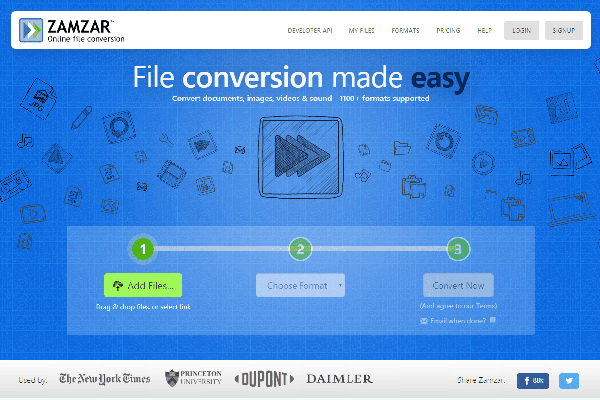
Zamzar is one of the most well-established online file conversion platforms. Using Zamzar as your VOB to MP4 Converter is incredibly straightforward: you upload your VOB file, select MP4 as the output format, provide your email address, and click convert. Zamzar is trusted by employees of major global brands and has converted over 510 million files since 2006.
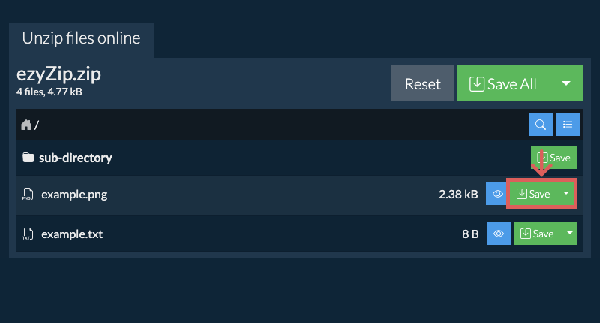
Unlike traditional online converters that upload files to servers, ezyZip is a unique browser-based tool that processes files locally on your own computer using your browser‘s capabilities. This guarantees that no data ever leaves your machine, offering high privacy without installation.
Given these limitations, a truly "unlimited" experience is only fully achievable with desktop software.
For users who need to handle large files, batch conversions, or maintain full privacy, desktop software is the superior choice. Below are four powerful desktop applications, including a spotlight on the highly recommended Acrok Video Converter Ultimate.
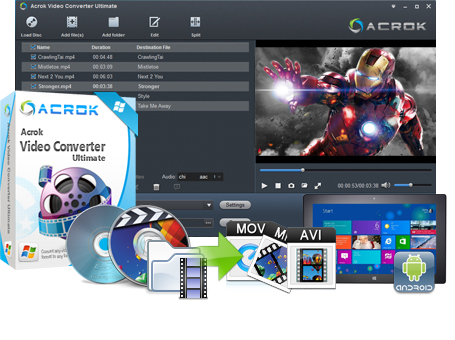
If you are looking for an all-in-one professional solution, Acrok Video Converter Ultimate is the best choice on the market. It is not just a VOB to MP4 Converter; it is a comprehensive multimedia toolkit designed to handle not only standard video files but also Blu-ray discs, DVDs, and ISO images.
 100% Safe & Clean 100% Safe & Clean
Key Features of Acrok Video Converter Ultimate:
Direct DVD and Blu-ray Ripping : Unlike most online tools, Acrok can directly load encrypted and unencrypted DVD discs, DVD folders, and ISO files. This makes it the perfect tool to convert VOB to MP4 with Acrok directly from physical media.
High-speed Hardware Acceleration : The software utilizes NVIDIA CUDA and AMD APP technology, ensuring lightning-fast conversion speeds without quality loss.
Lossless Output and 4K Support : You can convert to MP4, MOV, MKV, AVI, and over 150 other formats while preserving high-resolution quality, including Full HD and 4K videos.
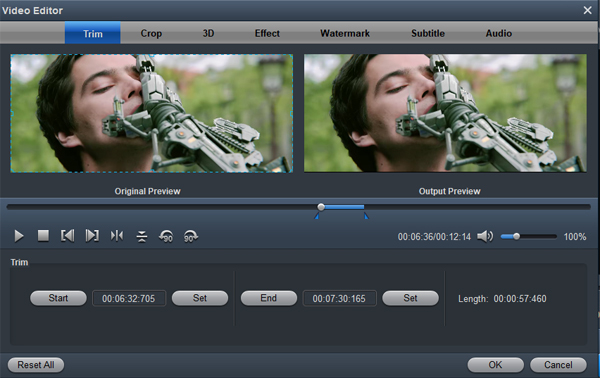
Comprehensive Editing Tools : Acrok goes beyond simple conversion. It includes built-in video editing features such as trimming, cropping, adding watermarks/subs, converting 2D videos to 3D, and adjusting video effects like brightness and contrast.
Device-Specific Presets : The software offers optimized presets for a wide range of devices, including iPhone, iPad, Samsung Galaxy, PlayStation 5, Xbox Series X, and various Smart TVs.
Built-in Media Player : It also functions as a powerful media player, allowing you to preview videos or play DVDs/Blu-rays directly within the software.
How to Convert VOB to MP4 with Acrok:
1. Download and install Acrok Video Converter Ultimate.
2. Click "Add Files" to load your VOB files or insert a DVD disc/ISO file.

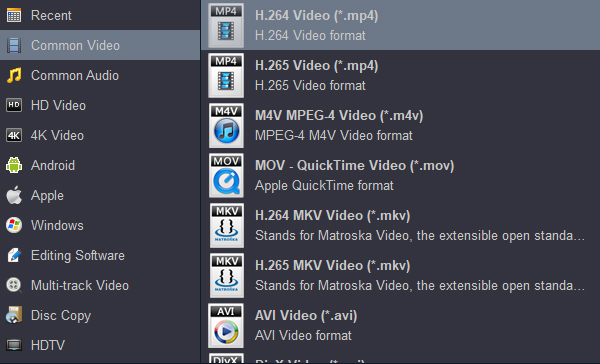
3. Choose "MP4" as the output format from the extensive dropdown list.
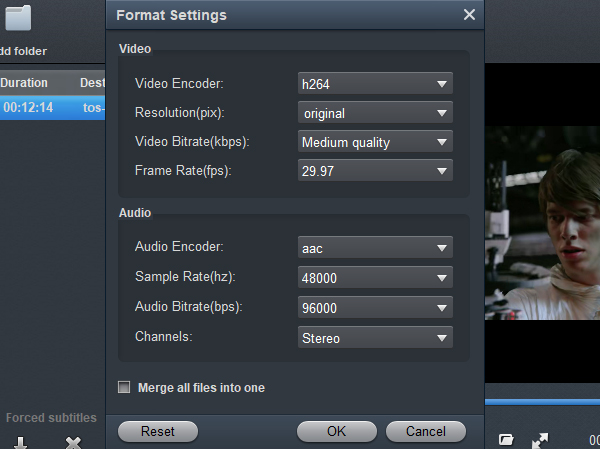
(Optional) Click "Settings" to set the specific parameters of the output video.
(Optional) Click "Edit" to trim, crop, add watermarks, or adjust video effects.
Click "Convert" and the software will process your file at high speed to produce a high-quality MP4.
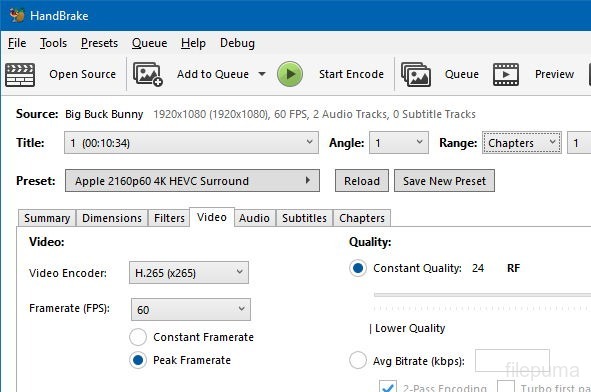
HandBrake is arguably the most famous free video transcoder available. For anyone wanting to convert VOB to MP4 with HandBrake, the process is well-documented and reliable. HandBrake supports converting almost all popular video formats to MP4, MKV, and WEBM using codecs like H.264 and H.265. It is compatible with Windows, Mac, and Linux, making it accessible to everyone.
Pros : Completely free, open-source, powerful batch processing, advanced customization for video quality, and support for subtitle embedding.
Cons : The interface can be intimidating for beginners due to the sheer number of technical parameters. It has limited support for encrypted commercial DVDs without secondary software.
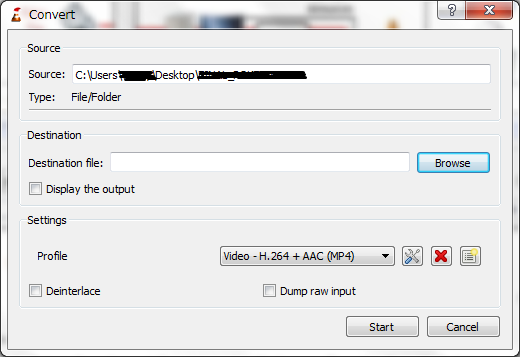
Most users know VLC as a media player, but few realize it doubles as a hidden converter. You can effectively convert VOB to MP4 with VLC using its built-in "Convert / Save" feature. It is particularly handy for users who already have VLC installed and want a quick, no-fuss conversion.
Pros : Completely free, no extra software needed (already on many computers), supports direct reading of DVD structure (VIDEO_TS).
Cons : The conversion interface is clunky and less intuitive; the conversion speed is relatively slow compared to hardware-accelerated tools; limited control over advanced parameters.
To help you make the right decision, here is a detailed comparison of the five VOB conversion tools reviewed above:
| Feature / Aspect | Zamzar (Online) | ezyZip (Online) | HandBrake (Desktop) | VLC (Desktop) | Acrok Video Converter Ultimate (Desktop) |
|---|---|---|---|---|---|
| Price | Freemium (limited daily) | Free | Free | Free | Paid (Lifetime ~$55.30) |
| Need to Install | No | No | Yes | Yes | Yes |
| Handles Encrypted DVDs | No | No | No (Limited) | No | Yes (Superior) |
| Batch Processing | No | Yes | Yes | No | Yes |
| Hardware Acceleration | No | No | Limited | No | Yes (NVIDIA/AMD) |
| Video Editing Tools | No | No | Basic (cutting) | No | Advanced (Trim, Crop, 3D, Watermark, FX) |
| Device Presets | No | No | Limited | No | Extensive (iPhone, Android, TV, PS5, etc.) |
| Privacy Level | Low (files uploaded) | High (local browser) | High (offline) | High (offline) | High (offline) |
| Best For | Quick small files | Privacy & no install | Tech-savvy users | Existing VLC users | Professional users & DVD collectors |
When comparing these tools, a few critical factors emerge. While HandBrake and VLC are excellent free alternatives, they fall short for specific professional or archival tasks. Acrok Video Converter Ultimate stands out in three major ways:
Choosing the right tool depends entirely on your specific needs:
No matter which tool you decide to try, always ensure you are converting media that you legally own or have the rights to modify. By now, you should have a clear pathway to convert VOB to MP4, free your media from physical discs, and enjoy your library anywhere, on any device, anytime.
Free download and try best VOB to MP4 Converter
100% Safe & Clean 100% Safe & Clean

So many converters don't quite sync up when it comes to the audio, so I was very pleased with this product's ability to do this correctly.
Stephen Wright
Copyright © 2026 Acrok Studio All Rights Reserved. Terms and Conditions | Privacy | Refund Policy